

10 Best Chrome Extensions
We use Chrome all day long. There are some things in Chrome that are very important, which have been proving to be very useful for years. We actually don’t use them. Using them makes daily work much easier. Today I will talk about ten Chrome [extensions/tips]
Apart from Google Chrome, these also run on Chromium-based browsers like Microsoft Edge, Vivaldi, Brave. In addition, each of them is also available as an add-on for Firefox and Firefox-based browsers.
1.Dark Reader: Night mode on all websites
Sites with a lot of white background strain the eyes at night. Dark Reader turns any website into a dark theme.It turns on by default once installed.
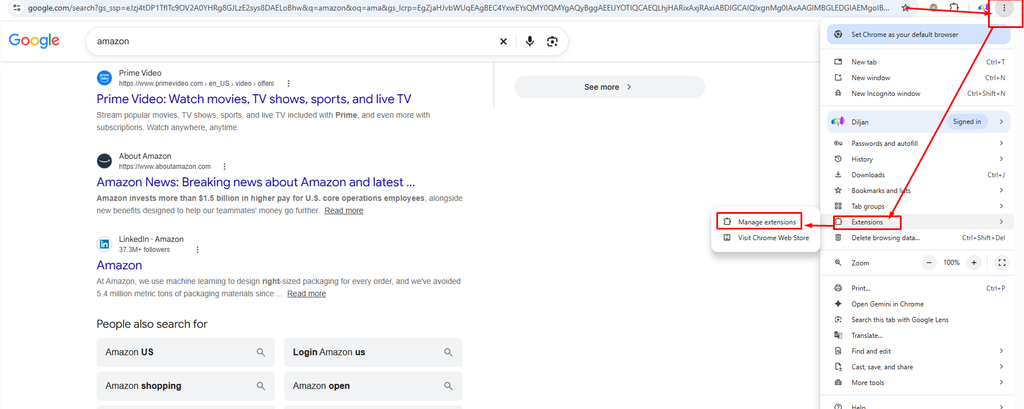
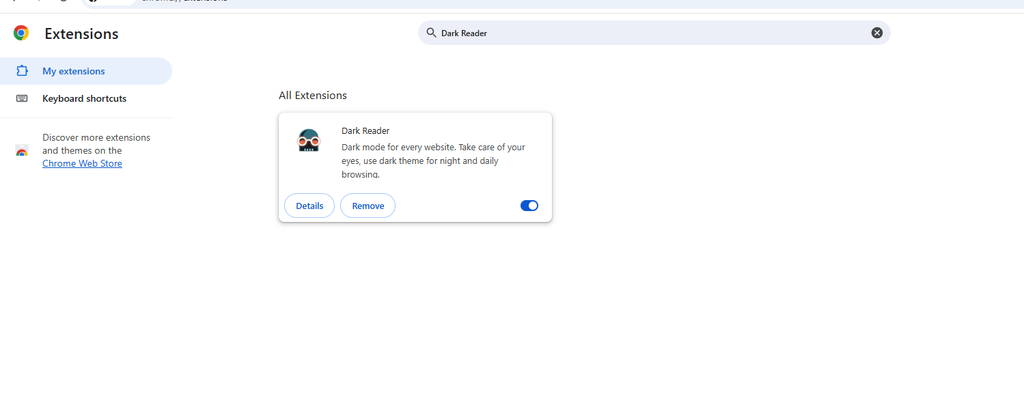
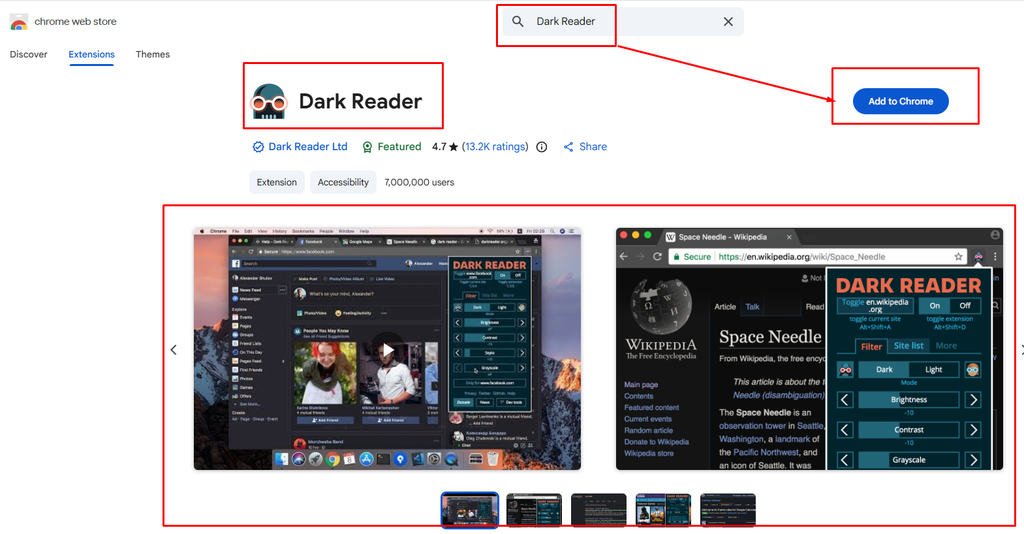
Open the browser and click on the three dot menu on the right side. After clicking, you will see Extension written there, click on Extension. After clicking, click on Add extension / Manage extension… and if you search there and click, you can nicely add it to Chrome. So I showed this one nicely, for the rest I will just show the results. Downloading… you can download the extension, if you can already… you can do it if you try a little. I am showing you the results.
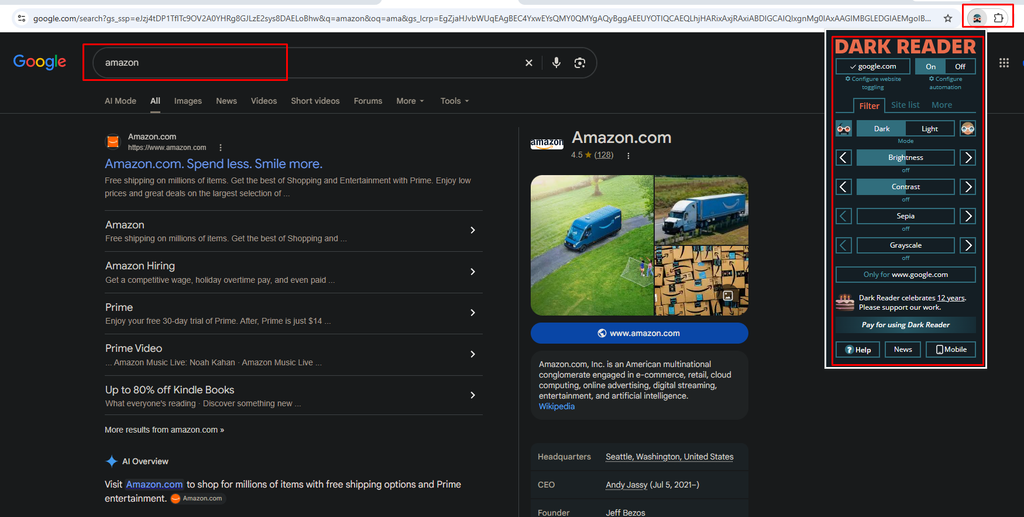
Once installed, it turns on by default. You can turn it on or off by clicking the icon next to the address bar. You can click there and use it nicely. There are some more settings which, if you open, you can easily do the tasks.
2.Wikiwand: Wikipedia in a modern look
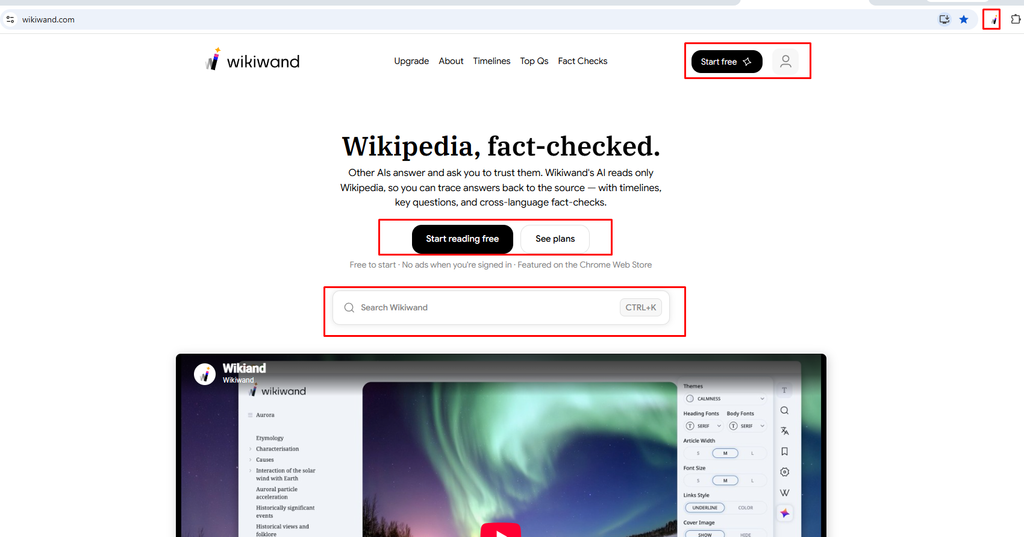
If you use this, it will look very beautiful in a modern appearance. If you want to know about anything, just click here and search once and everything will come up. Hmm, I think this will be very useful for you.
3. DuckDuckGo Search & Tracker Protection: Privacy Protection
This privacy extension from the creators of the DuckDuckGo search engine sets DuckDuckGo as your default search engine and blocks trackers and cookies, preventing companies from collecting your data.
No additional setup is required after installation; protection is enabled by default.
Using it alongside uBlock Origin further enhances online privacy.
4. ColorZilla: Color picker for designers
ColorZilla is incredibly useful for digital design work. It is an advanced eyedropper tool that extracts color codes from any part of a webpage. It functions similarly to the color picker in Photoshop.
Steps to use:
When you spot a color you like, click the ColorZilla icon next to the address bar.
Select “Page color picker active.” The cursor will change into a plus sign.
Hover the cursor over the desired color and click.
The color code is saved to your clipboard; you can then paste and use it in other programs.
5. Awesome Screen Recorder & Screenshot: Screenshots and Screen Recording
Chrome lacks a robust built-in screenshot tool, and this extension fills that gap. It also allows for audio and video recording directly within the browser. Although Firefox has a decent native screenshot tool, it sometimes struggles to capture the entire page on certain websites; this extension proves useful in those instances as well. While the name might differ slightly on the Firefox add-ons page, the extension itself is the same.
Three screenshot options:
Visible part: Only the area currently visible on the screen.
Full page: The entire page from top to bottom.
Selected area: A specific section chosen by clicking and dragging.
Four recording options: Desktop, Camera only, This tab, and Custom (similar to the selected area option).
Price and limits: The free plan allows for 100 screenshots and 20 recordings per month, which is sufficient for most users. An unlimited usage plan is available for $6 per month.
- WhatFont: Font Identifier
While developer tools can identify the fonts used on a webpage, WhatFont makes the process much faster and easier.
Simply click the icon and hover your cursor over any text to view the font name. Clicking on the text reveals detailed information such as style, weight, color, size, and line height.
7. Keepa: Amazon Price History and Price Alerts
Keepa is useful for ensuring you are getting a good price when shopping on Amazon.
Scrolling down the product page reveals a price history chart. The default timeframe is 3 months, but this can be extended to view the entire history.
For example, a product shown in the video had a lowest price of around $150, whereas the current price is close to $900. Having such information makes the purchasing decision much safer.
By setting a desired price in the “Track product” tab, you will receive an alert if the price drops below that threshold.
It is also available as a Firefox add-on.
8. Wayback Machine: Website History
This extension from the non-profit Internet Archive shows what a website looked like in the past, even if the site is currently offline.
How to use it:
Click the icon next to the address bar.
Select “Oldest,” “Newest,” or a specific date.
Selecting a date displays snapshots from that day on a calendar, which can be opened by clicking on one.
The video uses yahoo.com as an example, with archives available dating back to 2018. While some snapshots might lack images, they still provide a good idea of what the site looked like at that time.
9. uBlock Origin and uBlock Origin Lite: Ad and Tracker Blockers
uBlock Origin blocks ads, trackers, and crypto miners, boasting over 15 million users. Due to the Manifest V3 changes in Chrome, it is no longer supported and has been disabled there.
Good news for Firefox users: The original uBlock Origin, complete with all features, can still be used on the Firefox desktop browser. It also works on the Android mobile browser. Alternative for Chrome and Chromium browsers: uBlock Origin Lite, created by the same developer, complies with Manifest V3 rules. While not as powerful as the original version, it is quite capable.
On Firefox (original version): Clicking the icon shows how many items have been blocked on the current page. If a site fails to load correctly or if you wish to support a site by allowing its ads, you can disable the blocker for that specific site by clicking the power button and then reloading the page.
On Chrome (Lite): There are four filtering modes: No filtering, Basic, Optimal, and Complete. Based on the video presenter’s experience, some websites do not function properly in “Complete” mode, so they prefer using “Optimal” mode.
10. Boxel Rebound: A fun game for breaks
This popular jumping game is perfect for taking a quick break during work. It has over a million players and currently features more than 50 levels, with new ones added periodically.
Launch the game by clicking the icon next to the address bar.
You have options to toggle audio, switch to full-screen mode, and select a more intense “Fast Mode.”
Playing in full-screen mode is recommended; otherwise, you have to play within a small box.
Left-clicking the mouse makes the box jump. Although it sounds simple, the game is actually quite challenging.
Conclusion
Choose the extensions from this list of ten that best suit your work needs; there is no need to install all of them at once.
For security and privacy: DuckDuckGo Search & Tracker Protection and uBlock Origin (or Lite)
For design and development: ColorZilla and WhatFont
For saving money while shopping: Keepa
For comfortable browsing: Dark Reader and Wikiwand
Let us know in the comments which extension you find most useful in your daily routine.


