

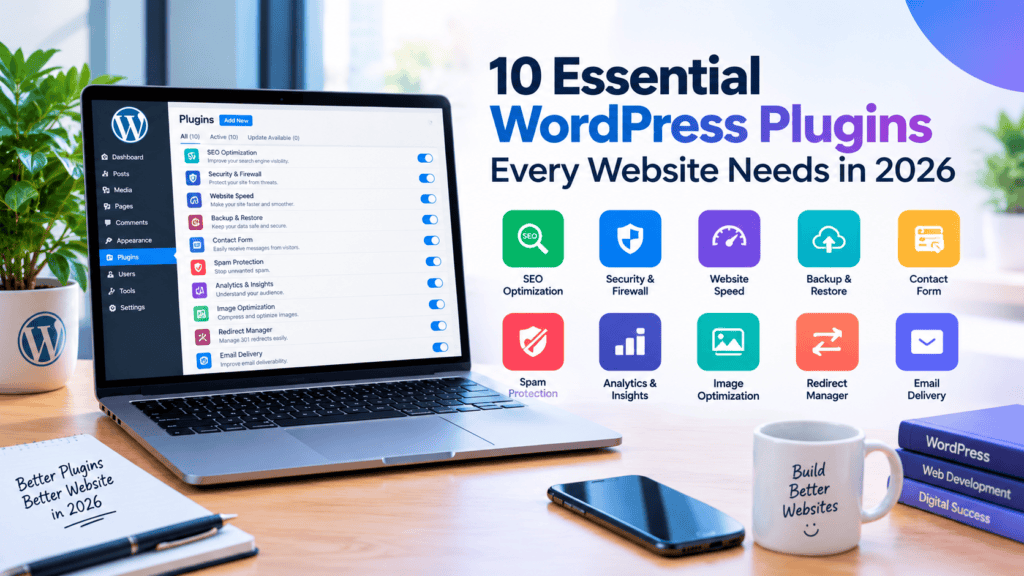
If you want to learn WordPress or work with WordPress, a main part of WordPress is plugins. Because a lot of WordPress work is done with plugins. To design a site you need to install a theme, there are many themes, you install one theme and work is done with just the theme. Besides themes, the most important thing is plugins. This is a very important matter.
But today I will talk about some plugins that you need, without which a WordPress website is practically impossible. Though some people can manage without them. But as far as I know, I think these plugins are very important and necessary. So today I won’t talk about many, I will talk about around ten plugins. Suppose you have built a website, a WordPress website.
After building it, you see that you need to rank it on Google, then you need an SEO plugin. You need to speed up your site, for that you may need a plugin. Then there is the security issue of WordPress, there is one for that. But in today’s article I will not show full site development, just how to use a plugin and what benefit you will get by using the plugins, I will try to show just that.
Quick note: Pricing and features change often. Always check each plugin’s official page before buying.
Why Plugin Choice Matters
WordPress powers a huge share of the web, and plugins are what turn a basic install into a complete website. But more plugins doesn’t mean a better site. Every plugin adds code that has to load, update, and stay secure.
A good rule of thumb:
Install one plugin per job (never two SEO plugins or two cache plugins)
Choose plugins that are actively updated and have strong reviews
Delete anything you’re not using.
If you know nothing about WordPress, there is an article on my website named WordPress Master Class, you can read it.
10 Essential WordPress Plugins
Look, these plugins are needed for every website. But I’m saying one thing, if I talk about SEO, there is the Rank Math SEO plugin, second there is another one like Yoast SEO, there are two plugins. For every task there is more than one plugin. Some give good free service, some give good paid service. But you should never install two plugins for the same task on one site, if you do it goes into loss.
For one task, one plugin is enough. But some plugins work well for free, some paid plugins work well, the features are very nice and good. But I hope I can make you understand that you should never install two plugins together. But the ten plugins I am talking about, you must use these ten plugins to build a website. So I have tried to inform you about these ten plugins, you may learn something.
I am hopeful, if you read this whole article then you will learn something, and knowing it you may be able to do some work for the website. Not that you will be able to do the complete work, because building a whole website takes a lot of time, there are many things to do. But you will get a complete idea, you will get a nice idea of the plugins needed to build a website. I hope everyone has understood.
Quick Comparison Table
| Category | Our Pick | Best Alternative | Free Option? |
|---|---|---|---|
| SEO | Rank Math | Yoast SEO | Yes |
| Cache & Speed | WP Rocket | LiteSpeed Cache | Yes (LiteSpeed) |
| Security | Wordfence | Solid Security | Yes |
| Backup | UpdraftPlus | BlogVault | Yes |
| Image Optimization | ShortPixel | Imagify | Yes (limited) |
| Contact Forms | WPForms | Fluent Forms | Yes |
| Spam Protection | Akismet | (Anti-spam alternatives) | Free for personal sites |
| SMTP Email | WP Mail SMTP | FluentSMTP | Yes |
| Analytics | Site Kit by Google | (GA4 via tag) | Yes |
| Redirects | Redirection | Rank Math Redirections | Yes |
Let me say one more thing here, Yoast SEO is the most popular. Okay, but I use Rank Math. Why do I use it? Because I started using it from before, where I learned, they suggested that one and that’s what I learned. But actually the main Yoast SEO is very popular and very good. But since I used this one before, I’m sharing the screenshot of the SEO plugin that I use.
But that doesn’t mean that whatever I use is the best. Okay? I like it, so I’m using it. Yoast SEO is good here. It’s not like only the SEO plugin I’ve listed here is good. All the plugins I’ve listed here, one after another, all the plugins are extremely good. But you will try and use whichever you feel is good for you.
You install one plugin, you use it, and if you see it’s not that helpful for you, there is another alternative. But if you use the one I’m using, the work will be done, no problem. It’s not that it won’t work. But to get better benefits, it’s better to go for the paid version, like if you can take the paid version of Yoast SEO, it’s very helpful, it works well, the paid plugin of Yoast SEO. And for mine, I’m getting very good service for free, getting many good features. That’s why I’m using it for free. I’m using it because I jus
t write articles, I can’t give extra time here, can’t give a lot of time on the computer. I had a site, and from that I’ve created this site, and it works pretty well, that’s why I’m using these. I’m not an expert website developer, I’m just using whatever I need to run my own website and I’m suggesting those to you.
1. SEO: Rank Math (Alternative: Yoast SEO)
What it does: Handles meta titles and descriptions, XML sitemaps, schema markup, breadcrumbs, and on-page SEO analysis.
Why it’s essential: Without an SEO plugin, you’re leaving search visibility to chance. These tools make sure Google understands your pages.
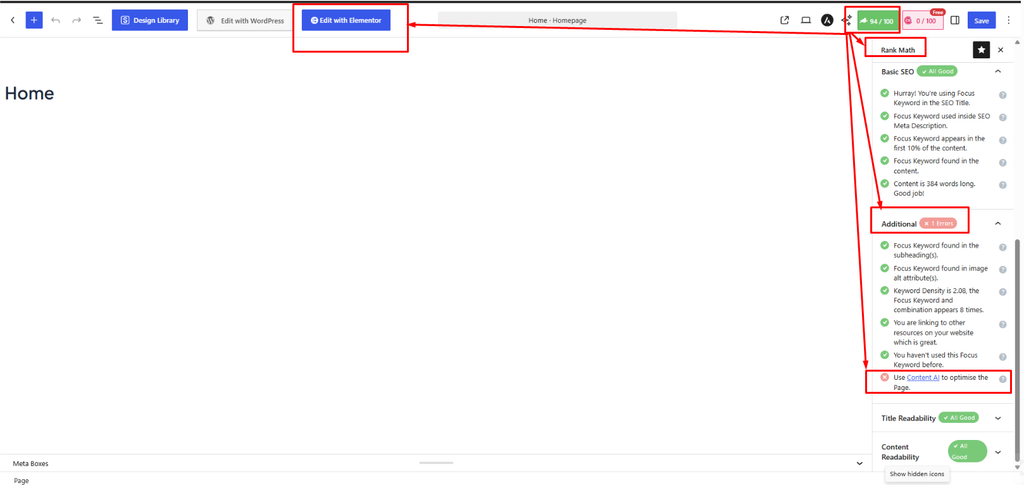
Rank Math pros:
- Generous free version with many built-in features (redirections, schema, 404 monitor)
- Clean setup wizard that suits beginners
- Lightweight compared to older alternatives
Rank Math cons:
- Interface can feel overwhelming at first
- Some advanced features require the paid plan
Yoast SEO is the long-standing alternative. It is simpler and very reliable, but several features that Rank Math includes for free sit behind Yoast’s premium version.
Best for: Rank Math for most users; Yoast if you prefer a simpler, proven interface.
2. Cache & Speed: WP Rocket (Alternative: LiteSpeed Cache)
What it does: Stores static copies of your pages so they load faster, and optimizes CSS, JavaScript, and lazy loading.
Why it’s essential: Page speed affects user experience and Core Web Vitals, which feed into search performance.
WP Rocket pros:
- Works well right after activation with minimal settings
- Combines caching, file optimization, and lazy loading in one tool
- Excellent support and documentation
WP Rocket cons:
- Paid only, with no free version
LiteSpeed Cache is free and very powerful, but it performs best when your hosting runs a LiteSpeed web server. On other servers, you’ll lose its best features. WP Super Cache is a basic free option for simple sites.
Best for: WP Rocket for ease of use on any host; LiteSpeed Cache if your host supports LiteSpeed.
3. Security: Wordfence (Alternative: Solid Security, Sucuri)
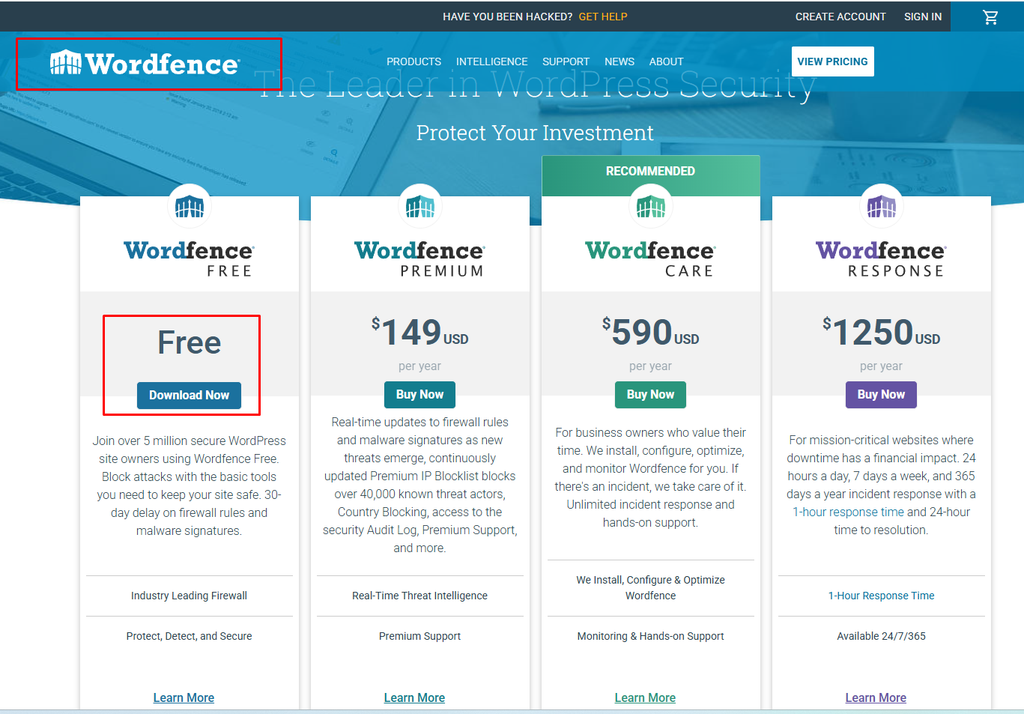
What it does: Provides a firewall, malware scanning, login protection, and brute-force attack blocking.
Why it’s essential: WordPress sites are constant targets for automated attacks. Even small blogs get hit.
Wordfence pros:
- Strong free version with firewall and scanner
- Detailed security alerts
- Login security features including two-factor authentication
Wordfence cons:
- Can use noticeable server resources on low-end hosting
- Free firewall rules update with a delay compared to premium
Solid Security (formerly iThemes Security) is beginner-friendly with a simple dashboard. Sucuri offers a cloud-based firewall that filters traffic before it reaches your server, which can be easier on your hosting.
Best for: Wordfence for most sites; Sucuri if server load is a concern.
4. Backup: UpdraftPlus (Alternative: BlogVault)
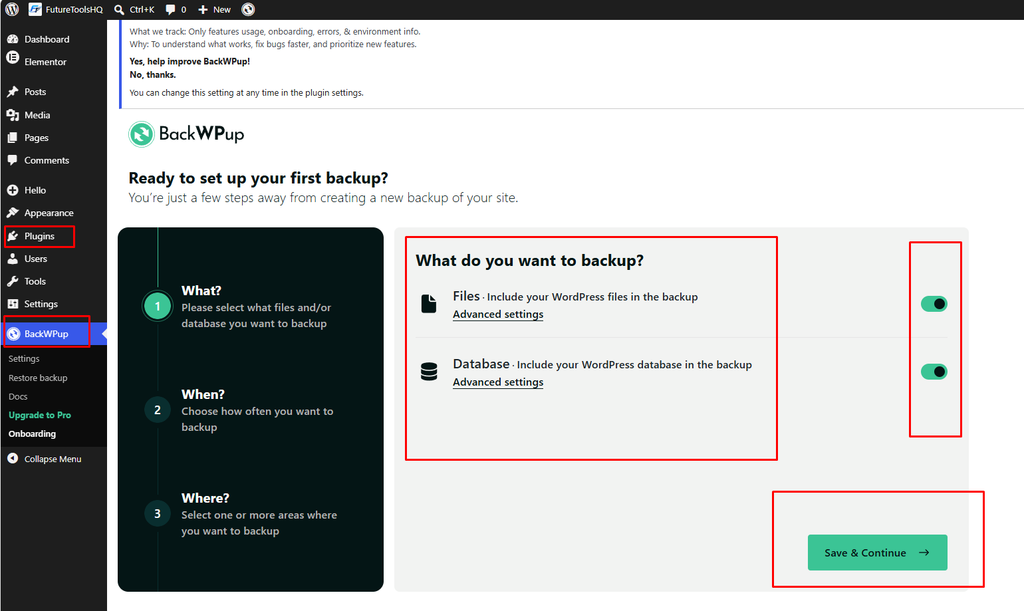
What it does: Creates automatic backups of your files and database and stores them in the cloud (Google Drive, Dropbox, and others).
Why it’s essential: If your site is hacked or an update breaks something, a backup is the difference between a quick restore and losing everything.
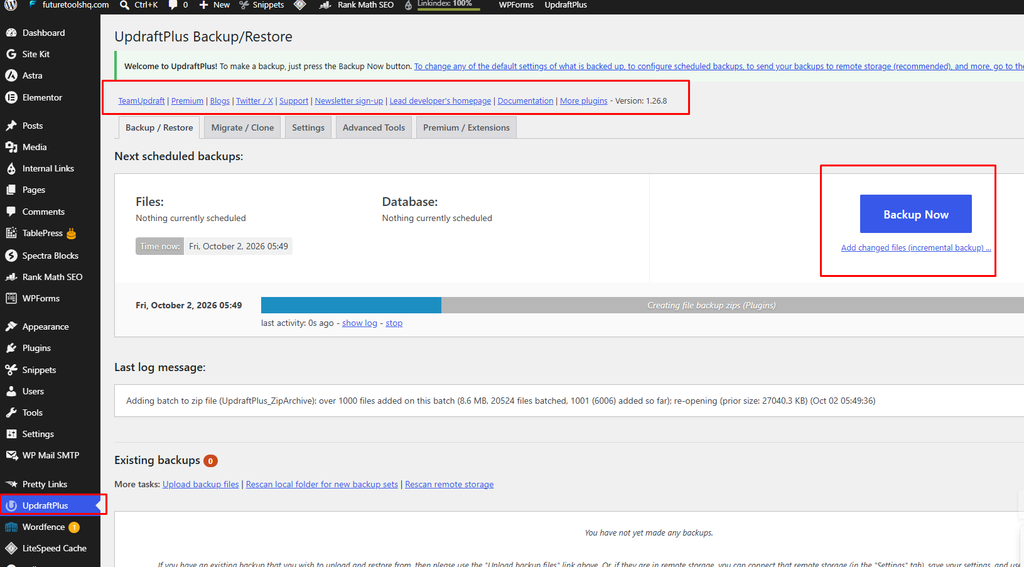
UpdraftPlus pros:
- Free version supports scheduled backups and cloud storage
- One-click restore
- Easy to set up
UpdraftPlus cons:
- Some features, like incremental backups and migration tools, are paid
- Large sites can strain shared hosting during backups
BlogVault runs backups on its own servers, so it doesn’t slow your site down. It is a paid service, but it’s excellent for business sites.
Best for: UpdraftPlus for blogs and small sites; BlogVault for sites where downtime costs money.
5. Image Optimization: ShortPixel (Alternative: Imagify, Smush)
What it does: Compresses images and converts them to modern formats like WebP or AVIF without noticeably reducing quality.
Why it’s essential: Images are usually the heaviest part of a page. Optimizing them is one of the easiest speed wins.

ShortPixel pros:
- Excellent compression quality
- Flexible credit-based pricing
- Supports modern image formats
ShortPixel cons:
- Free plan has a limited monthly quota
Imagify has a clean interface and similar results, and Smush is a popular option with a free tier, though its free features are more limited.
Best for: ShortPixel for most publishers; Imagify if you already use WP Rocket (same developer).
6. Contact Forms: WPForms (Alternative: Fluent Forms, Contact Form 7)
What it does: Lets visitors contact you, subscribe, or submit requests through forms you build with drag-and-drop.
Why it’s essential: A contact page builds trust, and it’s often required for ad networks and affiliate programs.
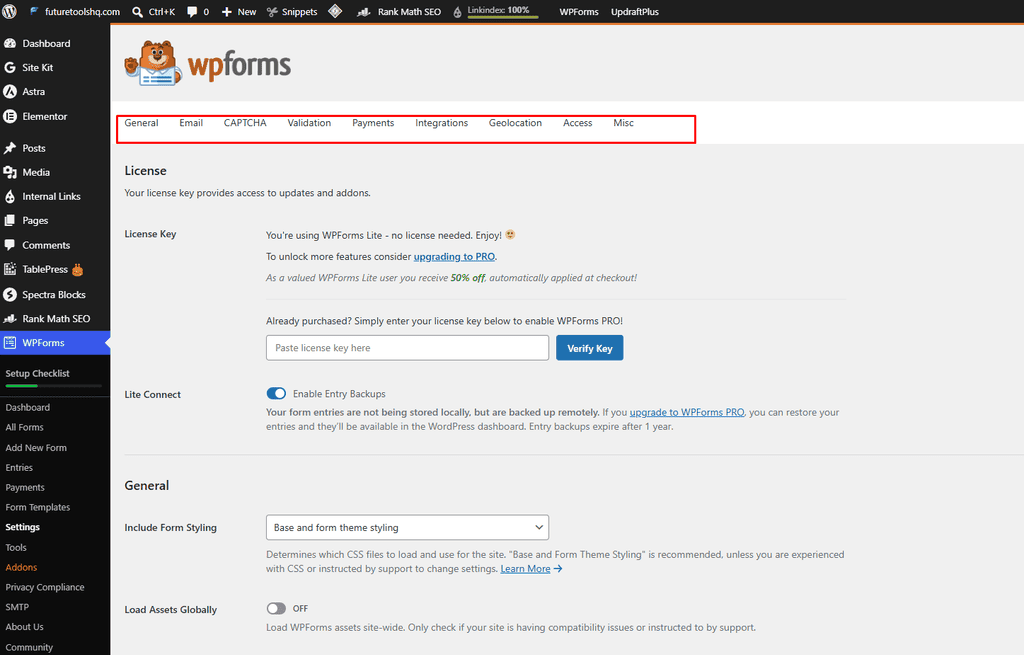
WPForms pros:
- Beginner-friendly drag-and-drop builder
- Pre-built templates
- Spam protection options built in
WPForms cons:
- Many advanced features (payments, conditional logic add-ons) require paid plans
Fluent Forms offers more free features than most competitors. Contact Form 7 is free and lightweight, but it requires some technical comfort since it has no visual builder.
Best for: WPForms for beginners; Fluent Forms if you want more for free.
7. Spam Protection: Akismet
What it does: Automatically filters spam comments and form submissions.
Why it’s essential: If comments are enabled, spam will arrive within days. Akismet keeps your comment section clean without manual moderation.
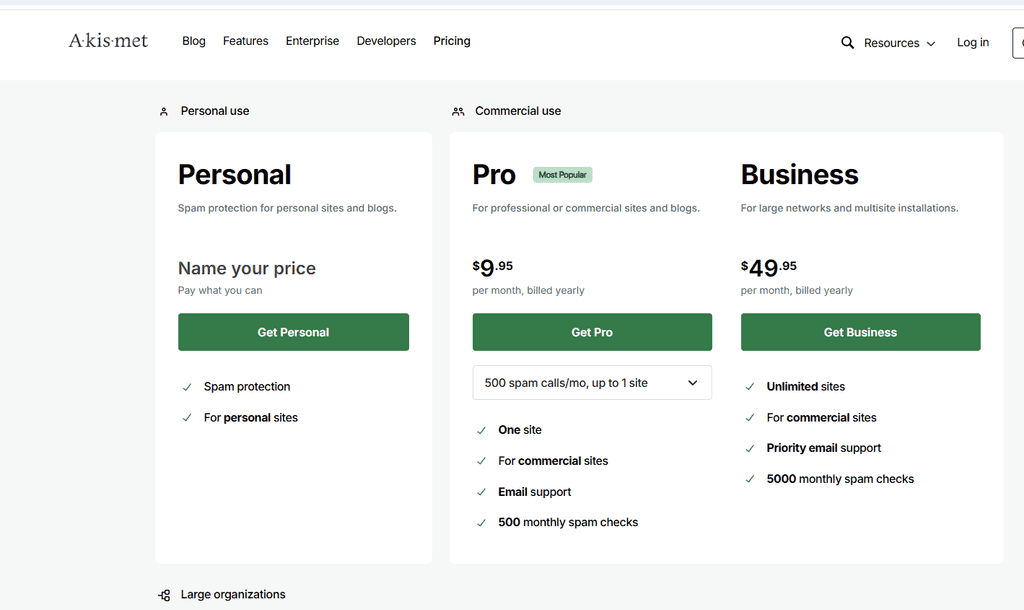
Pros:
- Works quietly in the background
- Developed by Automattic, the company behind WordPress.com
- Very accurate
Cons:
- Requires a paid plan for commercial websites
Best for: Any site with comments enabled. If you disable comments entirely, you may not need it.
8. Email (SMTP): WP Mail SMTP (Alternative: FluentSMTP)
What it does: Sends WordPress emails through a proper email service instead of your web server, so they reach the inbox.
Why it’s essential: By default, WordPress emails (password resets, form notifications) often land in spam or never arrive.

WP Mail SMTP pros:
- Supports many providers (Gmail, Outlook, SendGrid, and more)
- Simple setup wizard
- Email logs available in paid plans
WP Mail SMTP cons:
- Some advanced features are premium
FluentSMTP is completely free and supports multiple providers, making it a great budget alternative.
Best for: WP Mail SMTP for easy setup; FluentSMTP for a fully free solution.
9. Analytics: Site Kit by Google
What it does: Connects Google Analytics, Search Console, PageSpeed Insights, and AdSense and shows key stats inside your WordPress dashboard.
Why it’s essential: You can’t improve what you don’t measure. Search Console data in particular shows which queries bring visitors to your site.
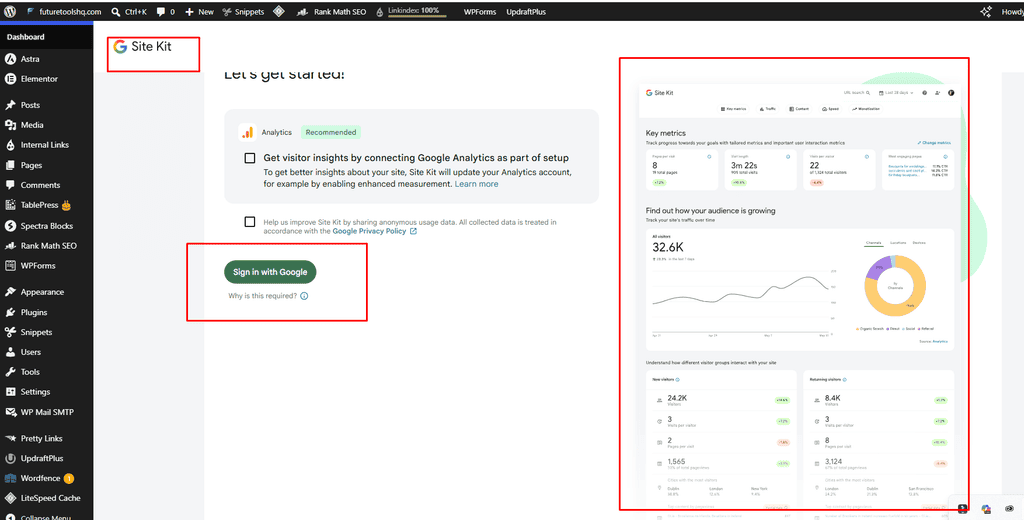
Pros:
- Official plugin from Google
- Free
- Simple setup, no code editing
Cons:
- Reports are basic compared to the full Google Analytics interface
- Adds some load to the dashboard
Best for: Beginners who want everything in one place.
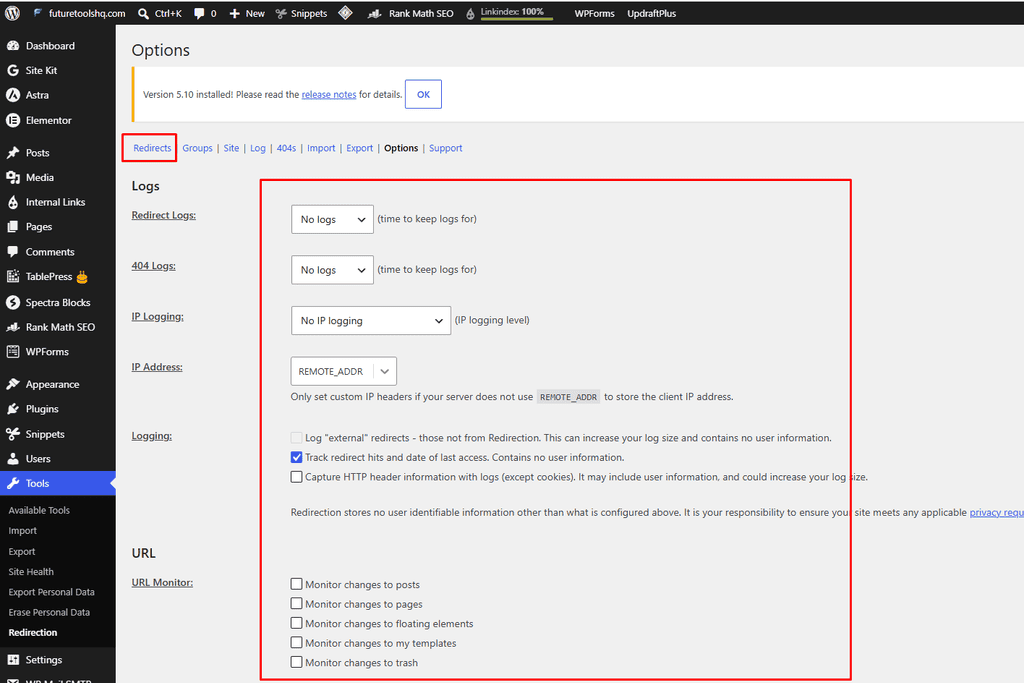
10. Redirects: Redirection
What it does: Manages 301 redirects and monitors 404 errors.
Why it’s essential: When you change a URL or delete a page, broken links hurt both visitors and SEO. This plugin fixes them quickly.
Pros:
- Completely free
- Tracks 404 errors so you can fix them
- Lightweight
Cons:
- Interface is functional rather than polished
- If you use Rank Math, its built-in Redirections module can replace this plugin
Best for: Sites that don’t already have redirects built into their SEO plugin.
Optional Plugins Worth Considering
Depending on your site type, these can also be valuable:
- Page builders: Elementor or Bricks for flexible design
- WooCommerce: If you’re selling products
- TablePress: Excellent for comparison tables on review sites
- ThirstyAffiliates or Pretty Links: For managing and cloaking affiliate links
- Easy Table of Contents: For long articles (Rank Math includes this feature)
Plugins to Avoid
- Two plugins doing the same job (for example, two SEO or two caching plugins), which causes conflicts
- Abandoned plugins that haven’t been updated in over a year
- Nulled or pirated premium plugins, which often contain malware
- Plugins you don’t use, since deactivated plugins can still be a security risk
Final Thoughts
You don’t need dozens of plugins to run a great WordPress site. A focused setup covering SEO, speed, security, backups, images, forms, spam, email, analytics, and redirects gives you a strong foundation. Start with these, keep everything updated, and only add more when you have a clear need.
Frequently Asked Questions
How many WordPress plugins is too many?
There is no magic number. Quality matters more than quantity. A site with 30 well-built plugins can outperform one with 10 poorly coded ones. Still, aim to keep only what you truly need.
Do I need both a cache plugin and an image optimization plugin?
Yes. They solve different problems. Caching speeds up page delivery, while image optimization reduces file sizes.
Are free plugins safe?
Free plugins from the official WordPress.org directory are reviewed and generally safe, especially if they’re actively maintained and widely used. Always check update dates and reviews.
Can I use Rank Math and Yoast together?
No. Use only one SEO plugin at a time to avoid duplicate tags and conflicts.
Should I pay for premium plugins?
Start with free versions where they meet your needs. Upgrade when you need specific features such as advanced caching, better support, or business-grade backups.
