


Best AI Tools for Solopreneurs in 2026
Running a business alone means every hat is yours. You write the emails, design the graphics, chase invoices, and answer questions at 9 p.m. AI tools can take a real share of that load, but only if you pick a few and use them properly.
The people who get the most from AI usually don’t try everything. They choose two or three tools, learn them well, and hand off real tasks, not just brainstorming. This guide covers the best AI tools for solopreneurs, what each is good at, how pricing works, and how to build a stack that fits your budget.
Pricing and features change often. Check each tool’s official page before you buy.
The Best AI Tools for Solopreneurs at a Glance
| Tool | Best for | Free plan | Typical paid plan |
|---|---|---|---|
| ChatGPT | All-round writing, research, brainstorming | Yes | Around $20/month |
| Claude | Long documents, careful writing, analysis | Yes | Around $20/month |
| Google Gemini | People living in Google Workspace | Yes | Around $20/month (bundled plans) |
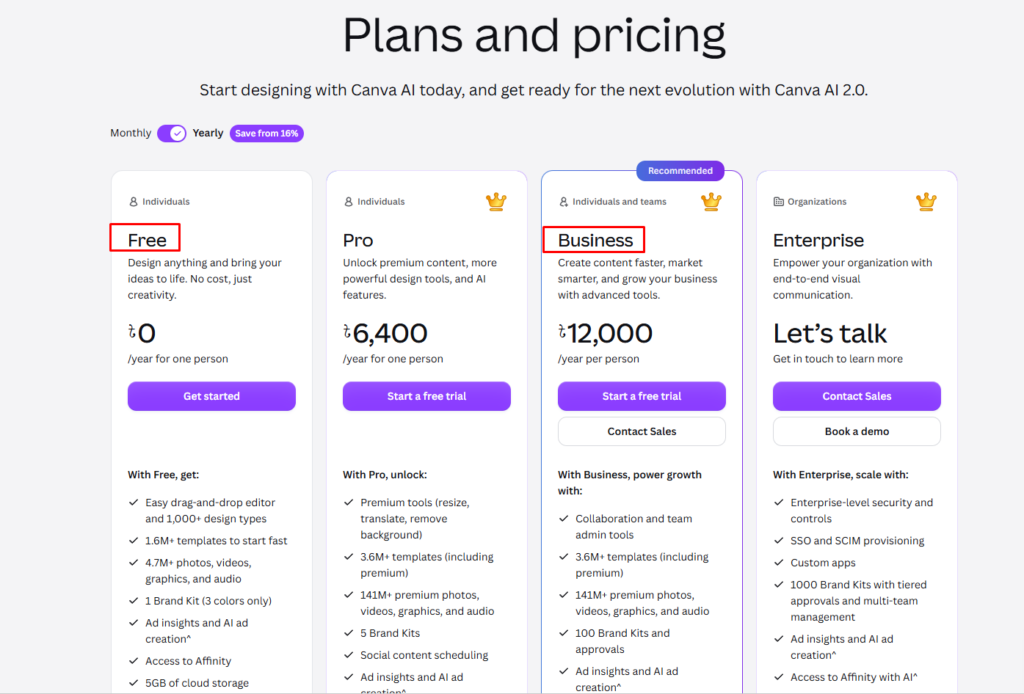
| Canva | Design, social graphics, brand assets | Yes | Around $15/month |
| Notion AI | Notes, docs, and project tracking with AI | Limited | Paid add-on |
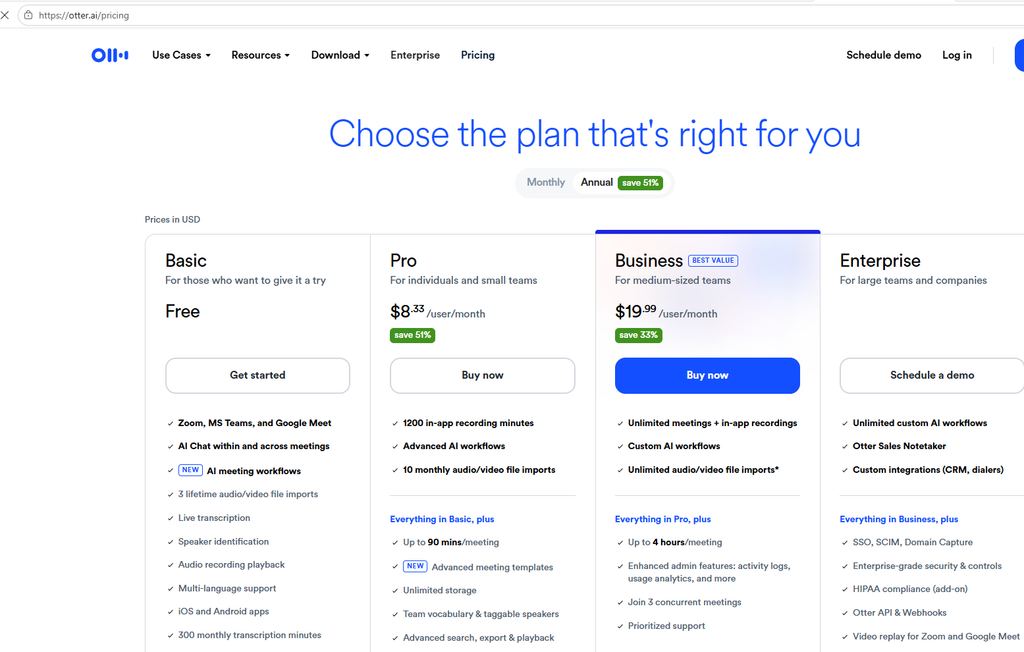
| Otter.ai | Meeting recording and summaries | Yes | Paid tiers |
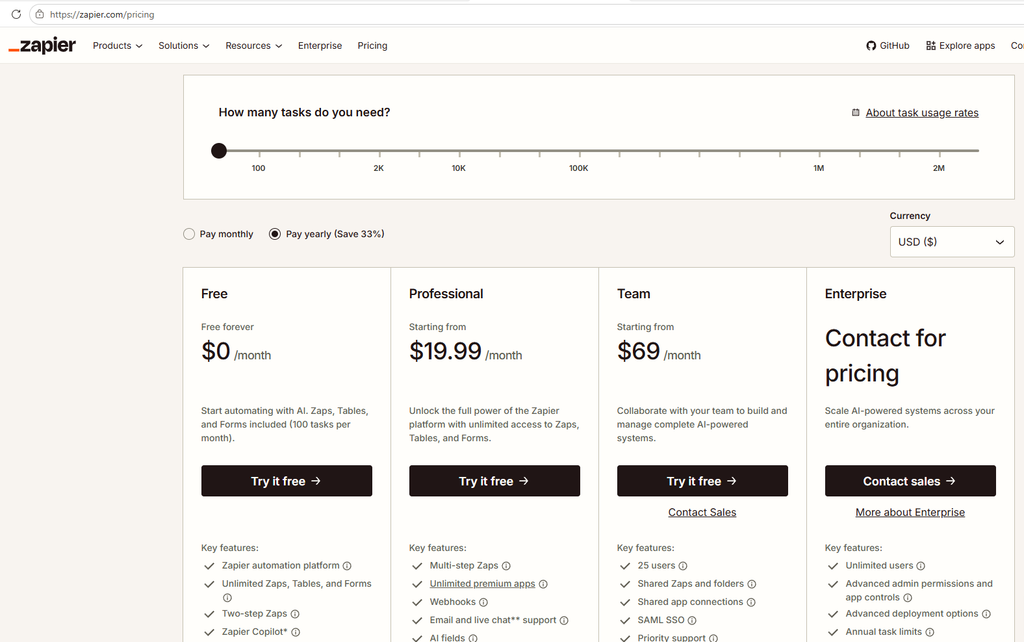
| Zapier | Connecting apps and automating steps | Yes | Paid tiers |
| Calendly | Booking calls without back-and-forth | Yes | Paid tiers |
Prices are rough ballparks and vary by region and billing period.
1. ChatGPT: The All-Round Assistant
ChatGPT is the tool most solopreneurs try first, and for good reason. It handles a wide range of daily tasks: turning rough notes into a clean client email, summarizing long documents, drafting proposals, outlining blog posts, and explaining unfamiliar topics.

Where it helps most:
- First drafts of emails, proposals, and social posts
- Summarizing articles, contracts, and reports
- Brainstorming product ideas, names, and offers
- Simple spreadsheet formulas and basic code
Tip: Use the custom instructions feature to describe your business, your customers, and your tone once. Responses will sound much more like you.
Watch out for: Confident mistakes. Always verify facts, statistics, and any sources it names.
2. Claude: Strong With Long Documents and Writing
Claude is a good fit when your work involves long text. You can paste in a full report, a contract, or several articles and ask specific questions. Many writers and consultants prefer its drafts for structure and readability.
Where it helps most:
- Analyzing long documents and extracting key points
- Writing long-form content such as newsletters and guides
- Comparing multiple documents
- Editing your draft for clarity and tone
Tip: Give it a sample of your own writing and ask it to match your style.
Watch out for: No tool is perfect. Check anything important, especially legal, tax, or medical content.
3. Google Gemini: Handy If You Live in Google Workspace
If you already run your business on Gmail, Google Docs, Sheets, and Calendar, Gemini can feel convenient because it works close to the tools you already use. It can help summarize email threads, draft documents, and organize information.
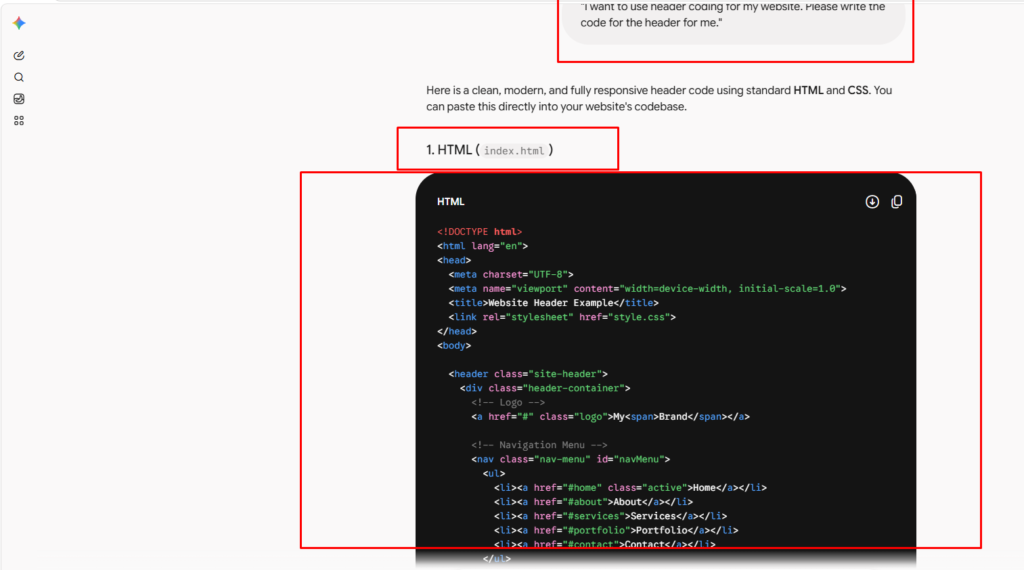
Best for: Solopreneurs already deep in the Google ecosystem.
4. Canva: Design Without a Designer
Canva’s AI features help you create social media graphics, presentations, banners, and simple marketing materials fast. Its brand tools keep your colors, fonts, and logo consistent across everything you make.
Where it helps most:
- Social posts and YouTube thumbnails
- Proposal covers and slide decks
- Quick image edits such as background removal
Tip: Set up your brand kit once so every design stays consistent.
5. Notion AI: Organization With AI Built In
Notion lets you keep notes, tasks, project plans, and simple customer lists in one workspace. Its AI features can summarize notes, pull out action items, and rewrite text without leaving the page.
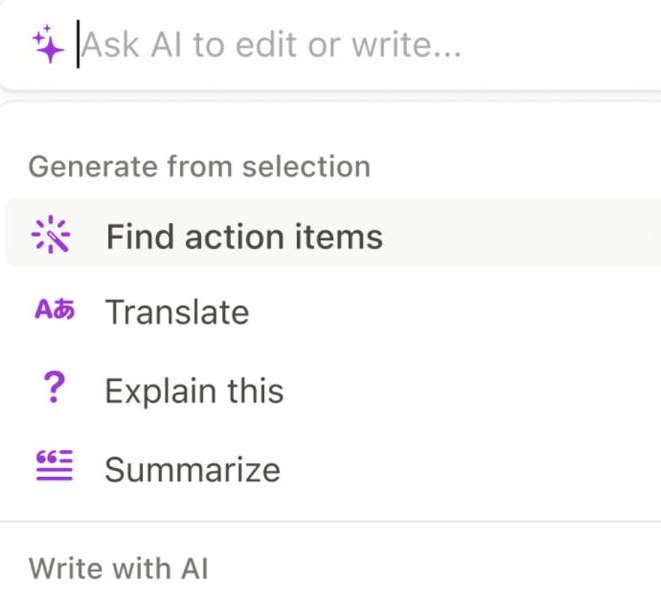
Best for: Solopreneurs who already organize work in Notion and want AI on top of the content they have.
6. Otter.ai: Meeting Notes on Autopilot
If your business runs on calls, such as coaching, consulting, or client interviews, a transcription tool saves a lot of typing. Otter.ai records, transcribes, and summarizes conversations so you can focus on the person in front of you.
Tip: Always tell participants when you’re recording and follow the recording laws where you and they are located.
7. Zapier: Connect Your Apps
Zapier moves information between apps automatically. A new form submission can create a spreadsheet row, send a welcome email, and add a task to your list, all without you touching anything. For a one-person business, small automations like this add up to hours saved.
8. Calendly and AI Schedulers: Fewer Back-and-Forth Emails
Scheduling tools let clients pick an open slot from your real calendar. Newer tools add AI chat that answers questions and qualifies leads before booking. If you want to go deeper, see our guide on how an AI appointment setter works for small business.
Pick Your Stack by Budget
You don’t need all of these. Here is a sensible way to build up.
| Monthly budget | Suggested stack |
|---|---|
| $0 | Free ChatGPT or Claude + free Canva. Expect usage limits. |
| About $20 | One paid general assistant (ChatGPT or Claude). Use it daily before adding anything. |
| About $35 | One paid assistant + Canva Pro, or + Notion AI if you already use Notion. |
| About $50+ | Paid assistant + Canva Pro + one specialist tool (notes, scheduling, or automation). |
Rule of thumb: Add a new tool only when you can name the exact task that is wasting your time.
The Hidden Costs Most People Miss
The subscription price is only the starting point. When you build things with AI, other costs can appear:
- Usage-based credits. Some AI coding and agent tools charge by usage on top of a flat plan. Free credits can run out quickly on a real project. Set a monthly limit before you start.
- Automation task limits. Free automation plans cap the number of tasks per month. Busy workflows can push you into a paid tier.
- Add-ons and extra seats. AI features are often a separate paid add-on to the base product.
- Build and hosting minutes. If you publish a site or app, deployments may use limited free minutes. Combine small changes into one update instead of publishing every tiny edit.
Privacy and Legal Basics for US, Canadian, and UK Solopreneurs
- Don’t paste sensitive client data (health, financial, or identity details) into general AI tools unless the tool’s terms and settings clearly allow it.
- Check the data settings. Many tools let you control whether your conversations are used to improve their models.
- Know your local rules. Canada has privacy laws such as PIPEDA, the UK has UK GDPR, and US privacy rules vary by state and industry. If you handle customer data in an automation, review the vendor’s data processing terms.
- Recording calls: Consent rules differ by state and country.
- Get professional advice for legal, tax, and compliance questions. AI isn’t a substitute.
This is general information, not legal advice.
Common Mistakes to Avoid
- Subscribing to everything. More tools often means more confusion.
- Publishing AI text unedited. Fix facts, add your own experience, and keep your voice.
- Skipping verification. Check numbers, names, and sources.
- Over-automating relationships. Keep a personal touch with clients.
- Ignoring costs. Review your subscriptions every few months and cancel what you don’t use.
Frequently Asked Questions
What are the best AI tools for solopreneurs?
For most people: a general assistant (ChatGPT or Claude), a design tool (Canva), and one tool for your biggest bottleneck, such as meeting notes, scheduling, or automation.
Are paid AI plans worth it for a one-person business?
Often yes, if you use the tool daily and it saves you more time than the monthly cost is worth. Start with free plans, and upgrade when you hit limits regularly.
Is it safe to put client information into AI tools?
Be cautious. Avoid sensitive personal data unless you understand how the tool handles it, and read its privacy terms.
How many AI tools does a solopreneur need?
Usually two or three. Add more only when a specific task justifies it.
Can AI replace me as a solopreneur?
No. AI speeds up routine work, but your judgment, creativity, and customer relationships are what your business runs on.
Final Thoughts
The best AI tools for solopreneurs are the ones you use consistently. Start with one general assistant, add a design or organization tool when you need it, and keep an eye on the real monthly cost. Used thoughtfully, AI gives a one-person business more time for the work that actually grows it.
“I have tried to update the pricing of each tool manually. Then, today when I am publishing this article, you may read it later. Someone might read it after three months, someone after six months. So I would hope that you do not consider the pricing that is given here as the final, main pricing. Definitely try to check the official website where the updated pricing is available and then make the purchase. Thank you everyone.”
Affiliate disclosure: This post contains affiliate links. If you click a link and make a purchase, we may earn a commission at no extra cost to you. We only recommend tools we have tested or believe are useful.


