
How to Use Claude for Small Business: A Practical Step-by-Step Guide
It’s 10 p.m. The shop is closed, but you’re still answering a customer’s email, wondering what to post on Instagram tomorrow, and avoiding that sales spreadsheet. If you run a small business, this evening probably sounds familiar.
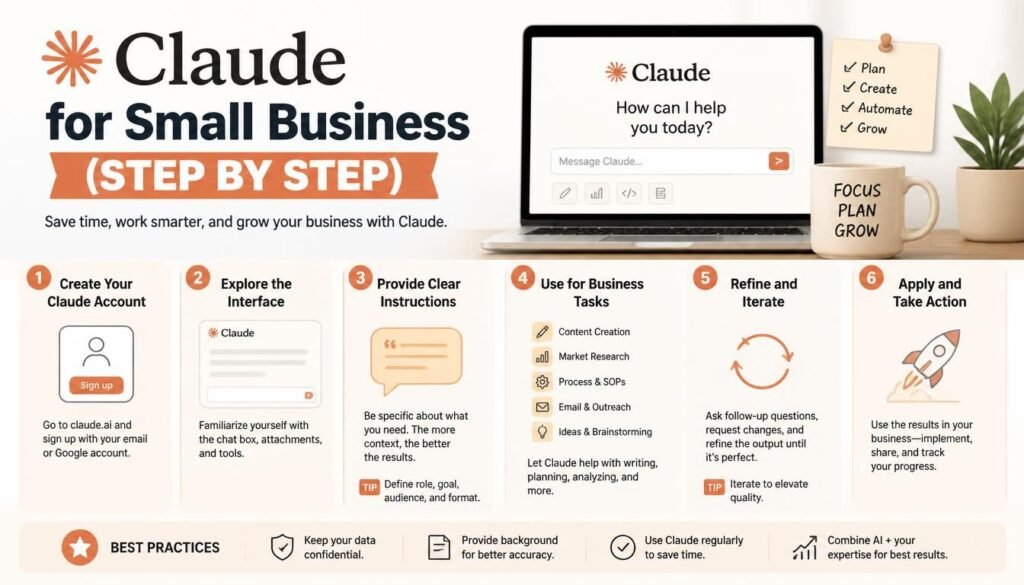
In this guide, you’ll learn how to use Claude for small business, explore practical examples, and discover prompts you can start using today. Claude AI can help you manage many of these tasks more efficiently. From writing marketing content to organizing business information, it can act as a virtual assistant for your daily operations.
Claude, an AI assistant from Anthropic, can take over much of that routine work. It can draft, summarize, organize, and brainstorm, so you can spend your time on customers instead of paperwork.
In this guide, you’ll learn how to set Claude up, use it well, and avoid common mistakes, with copy-and-paste prompts you can try today.
What Claude Can Do for Your Business
✓Write product descriptions, website copy, and social media posts
✓Draft customer emails and reusable reply templates
✓Brainstorm campaigns and build content calendars
✓Summarize reports and spreadsheets
✓Turn rough ideas into business plans and standard operating procedures (SOPs)
Claude doesn’t replace your experience or judgment. Think of it as a fast, tireless assistant. You still make the decisions.
Pros and Cons of Claude for Small Business
Claude is a strong helper, but it isn’t the right tool for every job. Here’s an honest look at both sides.
✓ Pros
- Natural, readable writing. Claude’s drafts for emails, posts, and website copy tend to sound human and need less cleanup.
- Easy to learn. You type in plain English. No technical skills or special software are needed.
- Handles long documents. You can share lengthy reports, policies, or spreadsheets (on plans that support uploads) and ask for summaries or insights.
- Follows detailed instructions. Tell it your tone, audience, and what to avoid, and it generally sticks to that.
- Saves time on routine work. Drafting, summarizing, and brainstorming that once took an hour can take minutes.
- Free plan to start. You can test it on real tasks before spending anything.
✕ Cons
- It can make mistakes. Claude may state something incorrect with confidence, so always verify facts, numbers, and prices.
- It doesn’t know your business by default. Without the background you provide, answers can be generic.
- Usage limits apply. Heavy daily use may hit limits on the free plan.
- Not a replacement for professionals. Legal, tax, and major financial decisions still need a qualified expert.
- Privacy needs care. Avoid sharing passwords, payment details, or private customer data.
- Content needs your touch. Unedited AI writing can feel polished but impersonal. Your real voice and details are what make it yours.
The Bottom Line
Claude works best as a fast first-draft partner, not an autopilot. Use it to do the heavy lifting, then review and personalize the result before it reaches your customers.
Step 1: Create Your Account
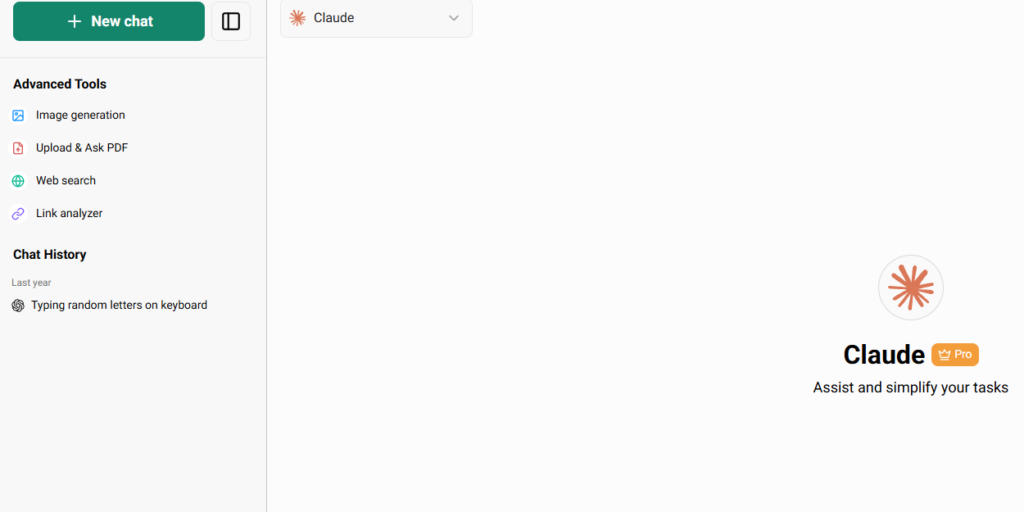
- Go to Claude.ai.
- Sign up with any available method.
- Start a new conversation.
The free plan is a good way to test whether Claude fits the way you work.
Step 2: Tell Claude About Your Business
The more context you give, the less generic the answers will be. Mention your industry, customers, services, location, and the tone you like.
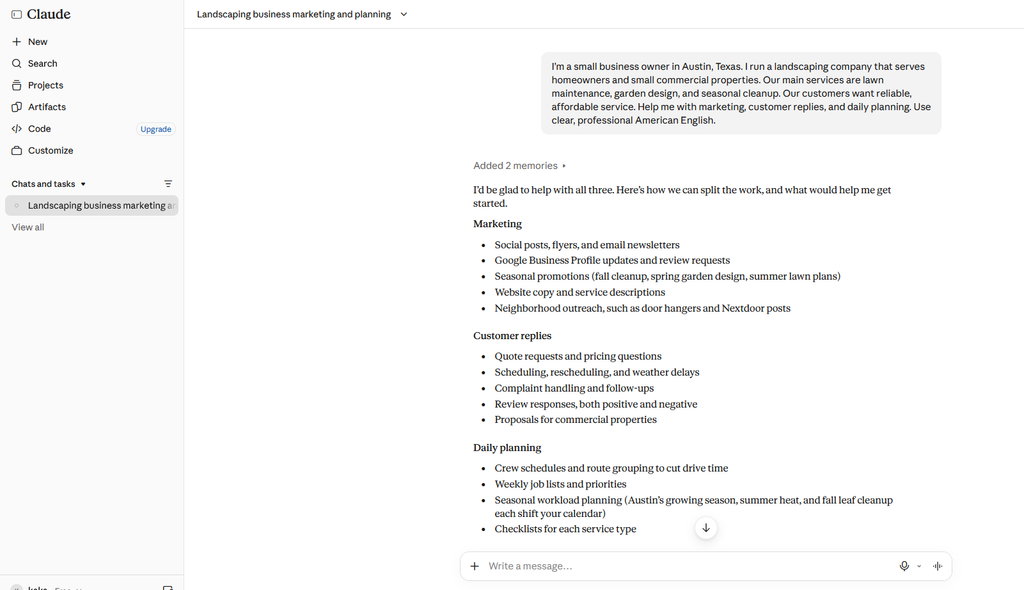
I’m a small business owner in Austin, Texas. I run a landscaping company that serves homeowners and small commercial properties. Our main services are lawn maintenance, garden design, and seasonal cleanup. Our customers want reliable, affordable service. Help me with marketing, customer replies, and daily planning. Use clear, professional American English.
I gave Claude a prompt, and I’m showing you a screenshot of the result it generated. By looking at it, you can understand the kind of work you can accomplish with these tools. I hope that by using Claude, you’ll be able to grow your business significantly.
Step 3: Create Marketing Content
Marketing is one of the easiest places to start.
Example prompt:
Write a Facebook post for my residential cleaning business in Chicago. Promote our spring cleaning service to busy homeowners. Keep the tone friendly and professional, highlight how easy it is to book, and end with a clear call to action.
What Claude might return:
🌼 Spring is here, and your home deserves a fresh start! Our team handles the deep clean while you enjoy your weekend. Booking takes less than two minutes. Message us today to reserve your spot!
“I’m trying to show Claude’s actual response here. I’m sharing what Claude is really responding with.”
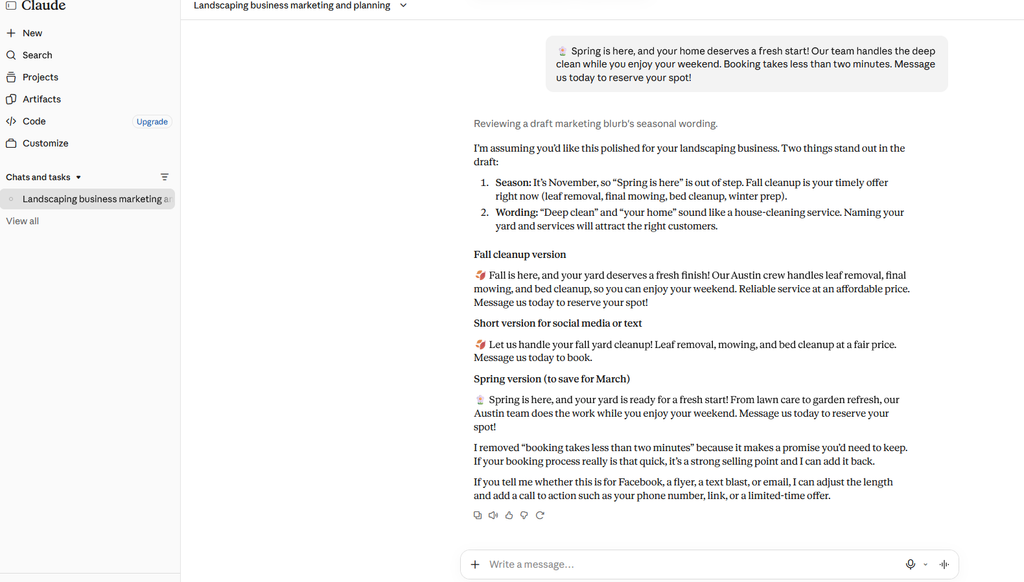
That’s a solid first draft. Now add your real prices, your booking link, and your own personality. You can also ask Claude for a full month of posts, including topics, captions, and suggested dates.
Step 4: Improve Customer Service
Customers tend to ask the same questions again and again: pricing, availability, shipping, returns. Claude can draft the answers in seconds.
Example prompt:
Write a friendly, professional email to a customer whose order is delayed. Apologize for the inconvenience, explain that we’re checking the shipment status, and reassure them we’ll send an update soon. Do not invent a delivery date or promise a refund.
Notice the last sentence. Telling Claude what not to do helps prevent promises you can’t keep. Before you hit send, check the customer’s order details and make sure the reply matches your actual policies.
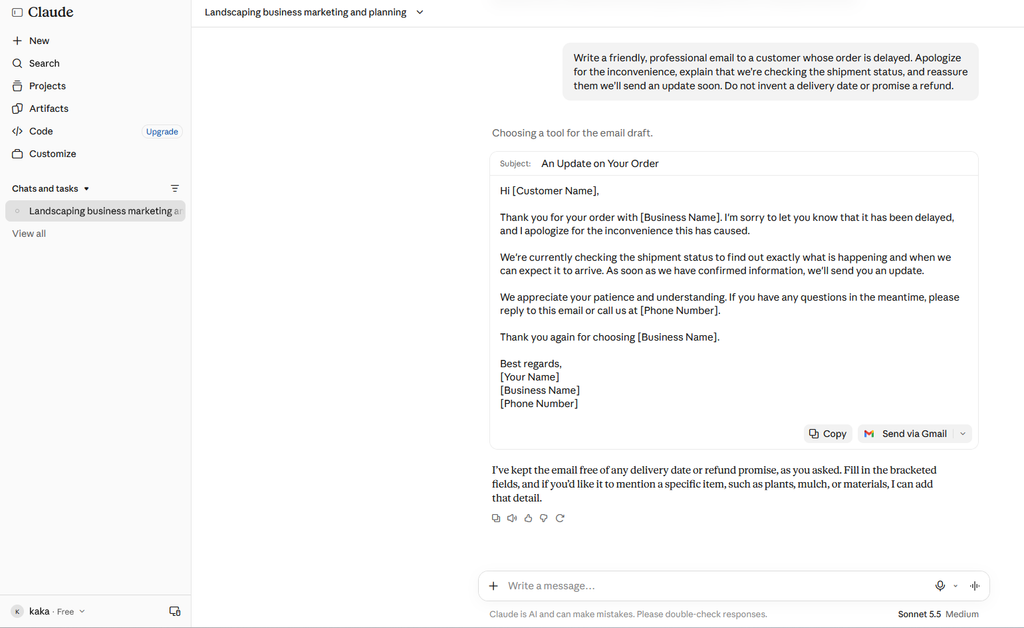
“I’m using this prompt as an example of how to drop an email in the email customizer. I’ve created one specifically for that purpose.”
Step 5: Understand Your Sales Data
If your plan allows file uploads, you can share a sales spreadsheet and ask Claude to make sense of it.
Example prompt:
Analyze this sales spreadsheet for my small online store. Identify my best-selling products, total revenue, and average order value if the data allows. Explain the patterns in simple language and suggest three practical ways to improve sales. Don’t assume any missing costs or expenses.
Always double-check important numbers against your own records before making financial decisions.
Step 6: Build Plans and SOPs
Claude can turn a rough idea into an organized plan.
Example prompt:
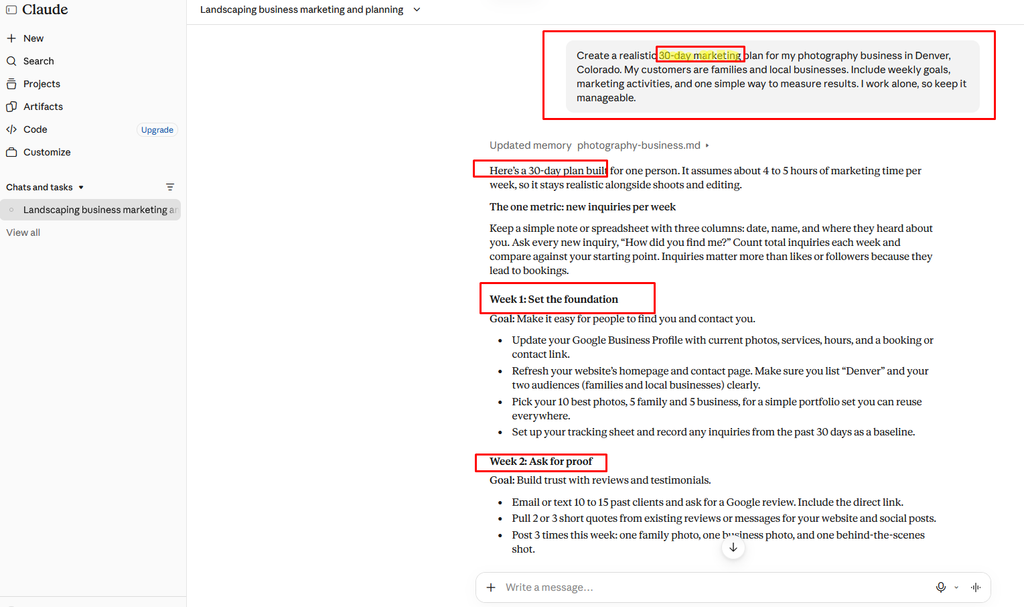
Create a realistic 30-day marketing plan for my photography business in Denver, Colorado. My customers are families and local businesses. Include weekly goals, marketing activities, and one simple way to measure results. I work alone, so keep it manageable.
You can also ask for SOPs, which are written step-by-step instructions for tasks like processing an order, onboarding a new client, or handling a complaint. They make it much easier to train employees as your business grows.
“I had planned a 30-day strategy for a project. I wanted to see how Claude would respond, so I shared its actual response here.”
Step 7: Build a Daily Routine
The biggest time savings come from repetition. Here’s a sample day:
| Time | Task | Sample prompt |
|---|---|---|
| Morning | Plan your day | “Here’s everything on my plate today. Sort it by urgency and suggest a realistic schedule.” |
| Midday | Customers and content | “Draft replies to these three inquiries, then write one social post about our weekend offer.” |
| Afternoon | Review numbers | “Summarize this week’s sales and list two things I should follow up on.” |
| End of day | Wrap up | “Here’s what I finished today. Help me list tomorrow’s top three priorities.” |
Start with one or two of these and add more as you get comfortable.
Common Mistakes to Avoid
- Vague prompts. “Write a post” gets a bland result. “Write a friendly post for busy parents about our weekend discount” gets a useful one.
- Publishing without editing. Always add your real details and your own voice.
- Sharing sensitive data. Keep passwords, payment details, and private customer information out of your chats.
- Relying on AI for legal, tax, or major financial decisions. Talk to a qualified professional instead.
- Expecting perfection on the first try. Reply with “make it shorter” or “make it more casual” and refine.
Free or Paid?
Free vs. Paid: Which Claude Plan Should You Choose?
Not sure whether Claude’s Free plan is enough or if you should upgrade to a paid subscription? The right choice depends on how frequently you use Claude and what you need it for.
Choose the Free Plan If:
- You use Claude occasionally for everyday tasks.
- You need help writing emails, blog posts, or social media content.
- You want to explore Claude before paying for a subscription.
- You don’t regularly reach the usage limits.
Consider a Paid Plan If:
- You use Claude daily for work or business.
- You frequently work with long documents, PDFs, or spreadsheets.
- You need higher usage limits and more advanced features.
- You rely on Claude for productivity, research, and content creation.
My Recommendation: If you’re just getting started, the Free plan is a great way to explore Claude’s capabilities. However, if Claude becomes an essential part of your daily workflow, upgrading to a paid plan may be worth the investment.
*Note: Claude’s pricing, features, and usage limits may change over time. Always check the official Claude Pricing Page for the latest information.