

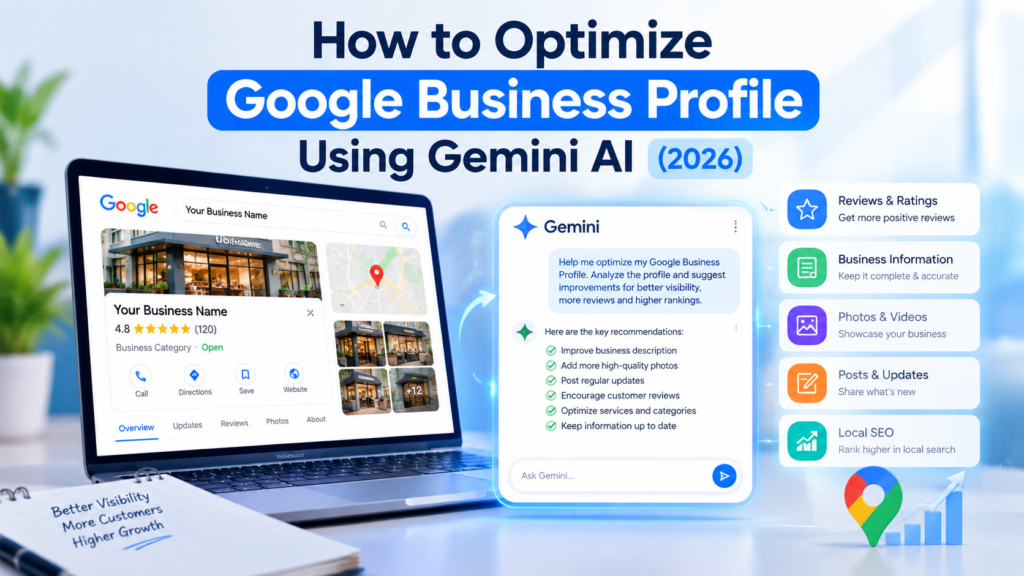
How to Optimise Google Business Profile
Whenever someone wants to search for your restaurant, clinic, or any other business, they directly go to Google. They look at the recommendations they find on Google Maps and Google Search, and they usually choose from those results..
And if you are still not keeping your Google Business Profile updated or you are not ranking on it, you are potentially losing customers every day.
I wrote this article to make your work easier. I am going to show you how you can use AI to manage your Google Business Profile — from drafting review replies and adding updates to managing everything more efficiently.
And one more thing: you don’t need any paid third-party AI tool for this because I am going to show you a setup that you can use with Google’s help.
So, without wasting any time, let’s get started. And if you want to learn how to manage and optimise your Google Business Profile more effectively, then please read my article until the end.
AI has already been in the market for quite some time, but there are still very few articles showing you how you can use AI to optimise your Google Business Profile.
And I totally understand that many people still think that if they want to optimise their Google Business Profile using AI, they have to pay third-party platforms to do it for them.
But you don’t have to do that anymore because Google has introduced a direct connection that you can connect with your Google Business Profile through Gemini and then use AI to help manage certain tasks.
Basically, you now have an AI assistant that you can explain things to in simple words, and it can help you make certain changes to your Google Business Profile.
Whether you want to reply to a review, update your business hours or business timings, create posts, or simply understand how you can improve your profile — these possibilities are now available for eligible users.
I am basically talking about the Gemini integration with Google Business Profile, and setting it up is very simple.
First, we will go to the dashboard. I will explain how to connect the integration, and after that, I will show you five important questions that you should definitely ask about your Google Business Profile.
How to Connect Gemini and Google Business Profile?
Before we start, you first need to understand that you have to log in to Gemini using the same Gmail account that your Google Business Profile was created with.
The connection process is very easy.
Go to the prompt section where you normally give prompts to Gemini. Here, simply type @ and search for Google Business Profile.
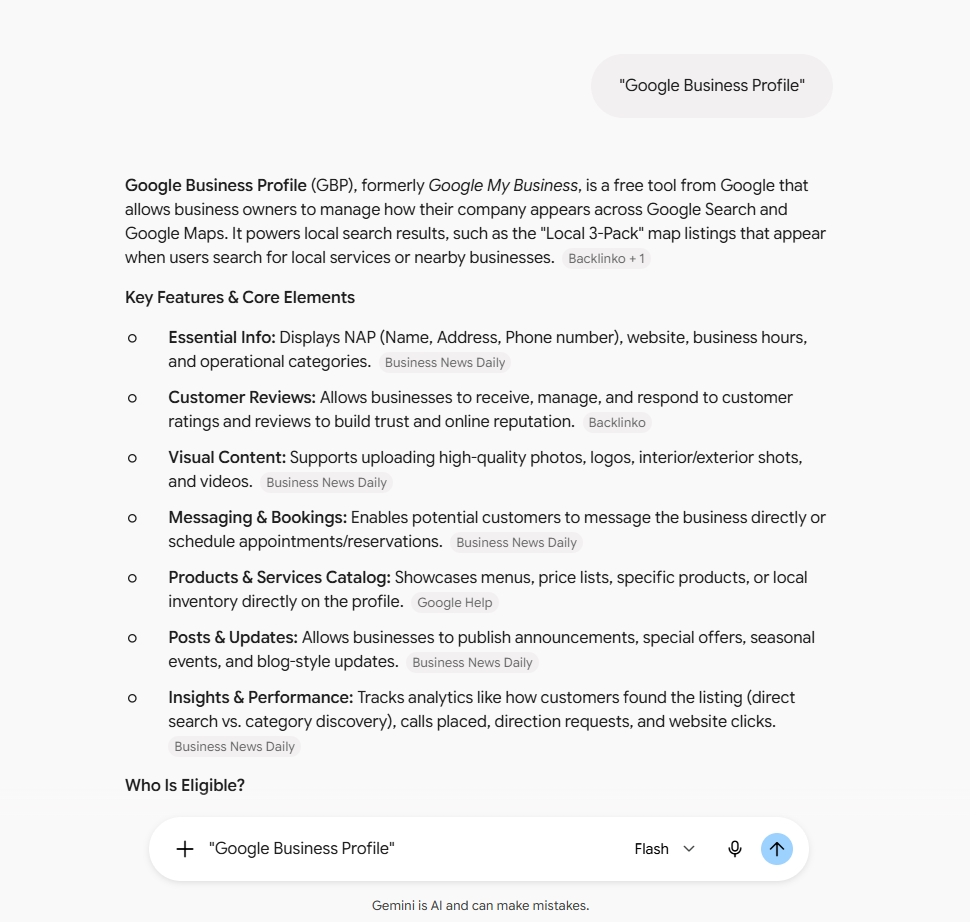
Now, using this connection, So let’s ask it,
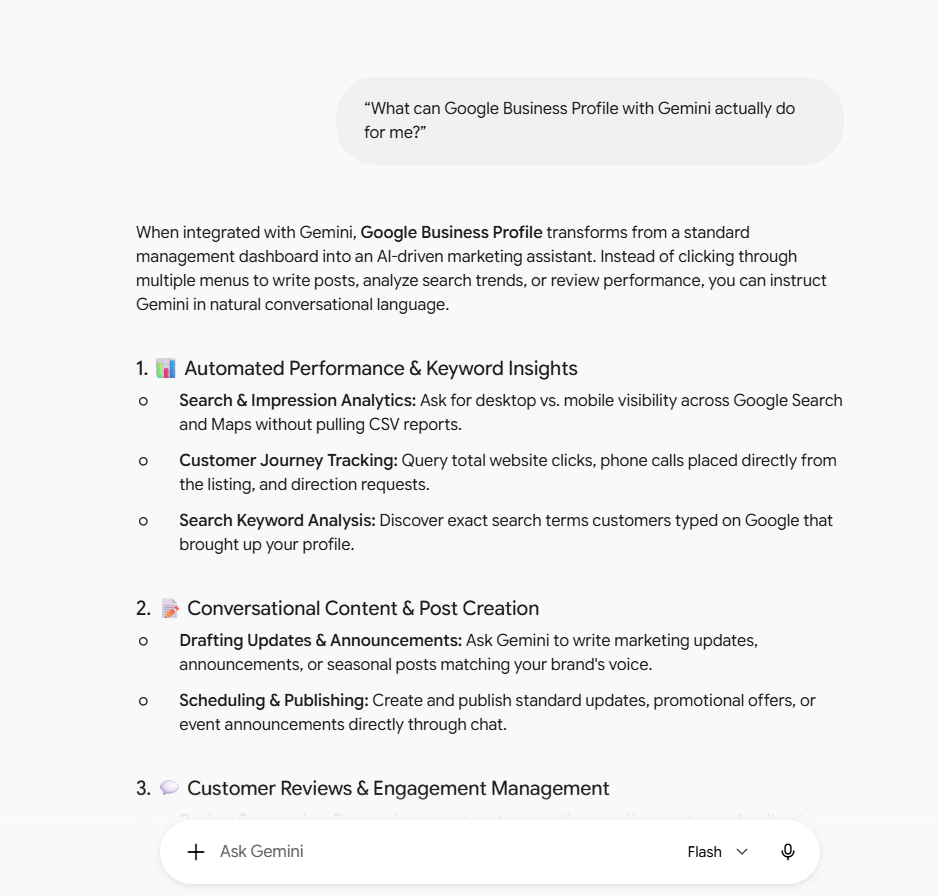
Managing Google Business Profile With Gemini
With the Gemini integration, you can use AI to help with several important tasks related to your Google Business Profile.
1. Profile and Location Information
If you want to update certain information on your profile or location, you can directly tell Gemini what you want to change, and it can help you manage those details.
2. Posts and Customer Engagement
You can manage posts and engagement with customers.
One of the most important things is keeping your Google Business Profile accurate and up to date.
Keeping your business information updated can help customers find the correct information about your business and make it easier for them to take action.
One of the best ways to keep your Google Business Profile active is to regularly add relevant updates and posts.
And you can do this using Gemini.
You don’t have to do everything manually.
Just like you post content regularly on Instagram, Meta, or Facebook, you can also use AI to help create and manage updates and posts on your Google Business Profile.
3. Insights and Analytics
A lot of people are confused about how many views they are getting on Google Business Profile, how many interactions they are getting, and which search terms are bringing customers to their profile.
Now you can use Gemini to help you understand available Business Profile insights and analytics.
Photos, Services and Menus
Finally, you can also work with your photos, services, and menus.
You can provide your photos and other information to Gemini and guide it, and it can help you prepare content and suggestions for your Google Business Profile.
So, I have already explained what you can do with the Gemini and Google Business Profile integration.
Now let’s move on to the next five questions that you should ask using your Google Business Profile and Gemini integration.
5 Important Questions
Question 1: How can I optimise my Google Business Profile?
The first question you should ask Gemini is:
How can I optimise my Google Business Profile?
Which keywords should you use right now?
Which things should you avoid?
Gemini can analyse information from your Google Business Profile and then provide recommendations.
I have a very good prompt that we usually use for this, and I will also give it to you at the end of this article.
Prompt: Comprehensive Google Business Profile Audit & Local SEO Strategy
Act as a local SEO expert. Using the connected Google Business Profile data, perform a comprehensive audit of my profile and give me a detailed report. Please cover:
- Overall health score — Rate my profile out of 100 and explain what’s pulling the score down.
- Business info audit — Review my business name, primary category, secondary categories, business description, services, and products. Flag anything missing, outdated, or not optimised.
- Content audit — Review my photos, videos, posts, and reviews. Note gaps (e.g., too few photos, no recent posts, unanswered reviews).
- Local SEO opportunities — Identify my biggest opportunities to improve local visibility and ranking on Google Maps and Search.
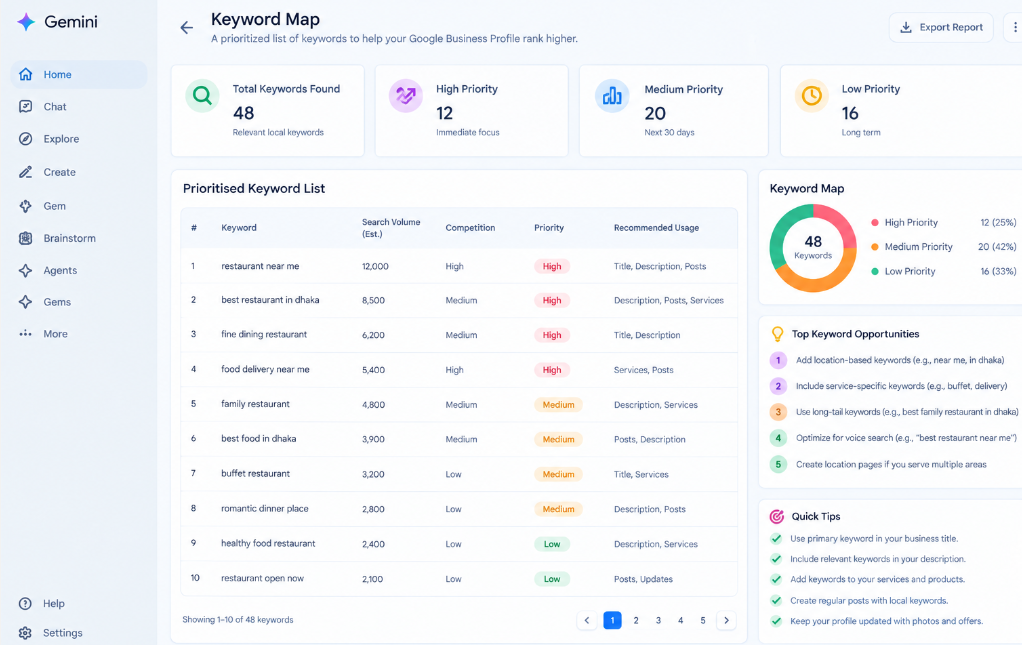
- Keyword research — Suggest a prioritised list of local keywords I should target, based on my category, location, and services. Tell me exactly where each keyword should be used (business description, services, posts, etc.).
- Category recommendations — Suggest better primary/secondary category options if my current ones aren’t optimal.
- Description & services rewrite suggestions — Give me specific rewording suggestions for my business description and service listings.
- Priority action list — Give me a ranked list of the top 5–10 changes I should make first, in order of impact.
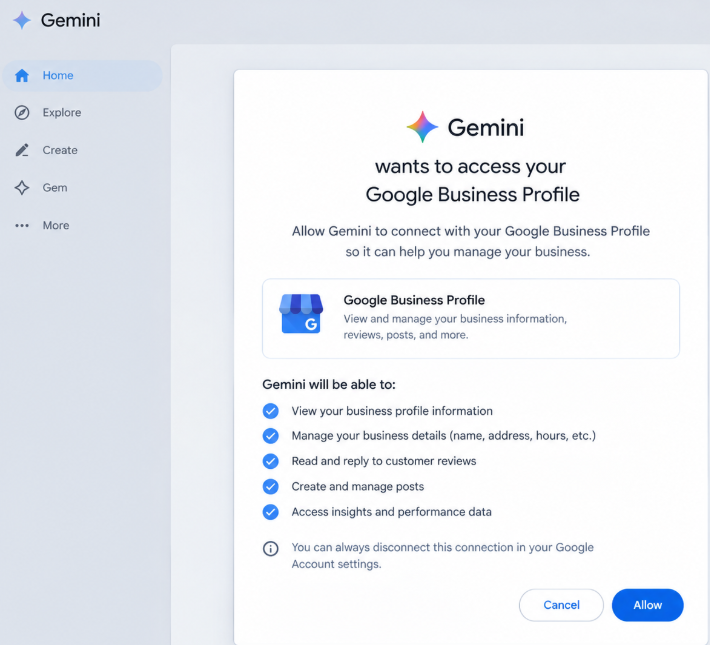
Present the audit in a structured format with clear headings so I can act on it step by step. You will also find it in the description, so make sure you check it out. Now let’s talk about what this prompt can provide for your Google Business Profile. Since I was already asking questions related to my Google Business Profile, my account was automatically connected. But when you ask your first question, Gemini may ask for permission to connect to your Google Business Profile. You simply need to allow it, and then you can get the available answers and recommendations.
For example, I used: “Comprehensive Google Business Profile Audit & Local SEO Strategy.” First, it performed a detailed audit of my profile. It showed me: What is good, What is weak, What needs to be changed, My overall score,Priority actions.
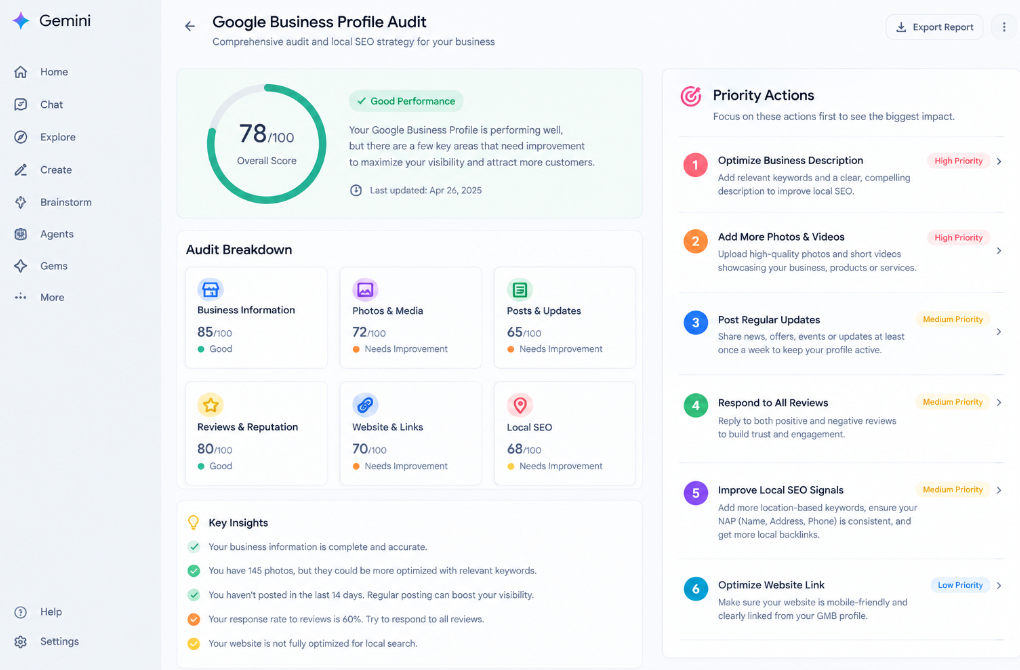
It also checked my business name, primary category, secondary categories, business description, services, and products.
Basically, it analysed many of the important elements available in my Google Business Profile and then provided recommendations.
It also analysed photos, videos, posts, and reviews.
It showed me what my biggest SEO opportunities are and what I can change to potentially improve my local visibility.
It also provided local keyword research and showed me which keywords I can consider targeting.
It gave me a prioritised keyword map and explained where I can use those keywords.
It also provided recommendations for primary and secondary categories.
It explained how I can optimise my business description and services.
There are many detailed optimisation recommendations.
If someone implements this type of detailed SEO optimisation, their Google Business Profile can become much better organised and more complete.
So the first question you should ask is:
How can I optimise my Google Business Profile?
Analyse it properly and then implement the recommended changes.
Because if you don’t implement the changes, there is no point in doing the analysis.
Question 2: What keywords am I ranking for?
The next question you should ask is: Which keywords is my Google Business Profile ranking for in the last 30 days?
Where is my business visible on Google Maps?
You can take the available data and use it to optimise your profile even better.
I have prepared a prompt for this.
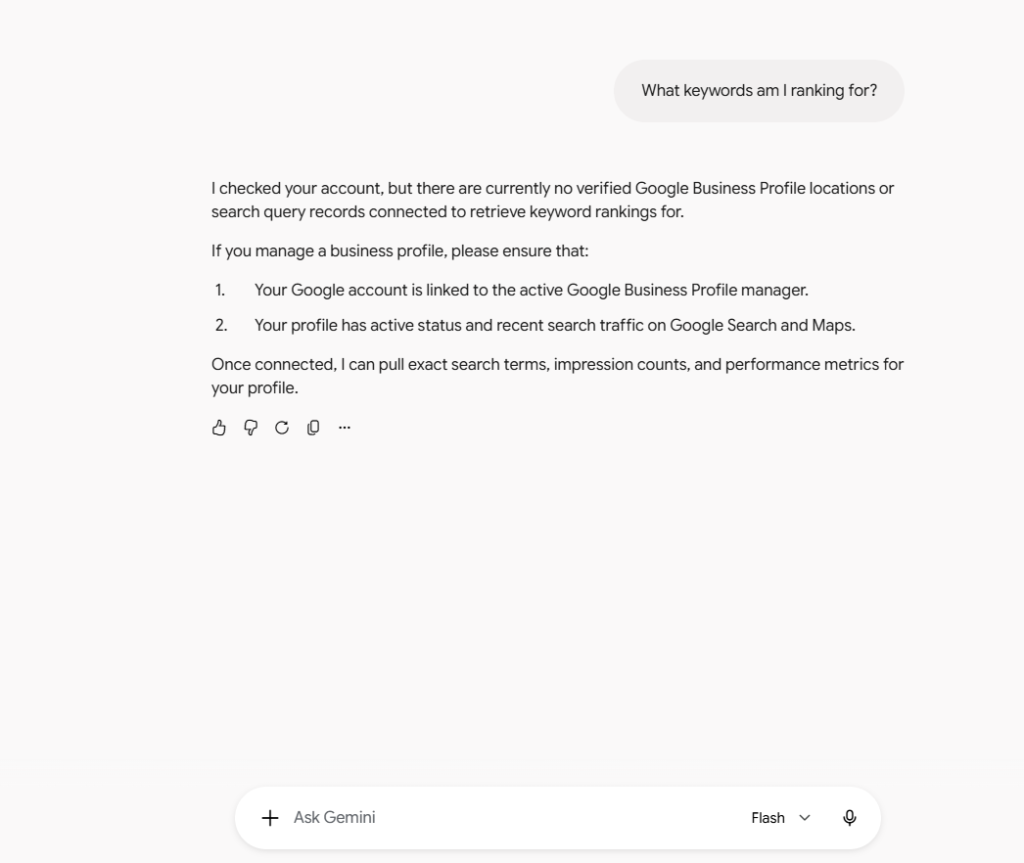
I pasted the same prompt, and now Gemini can analyse the available information from my Google Business Profile and tell me what may need to be changed.
For example, it can provide available visibility metrics and help you understand where your business is appearing.
It may show information such as:
Below 20, Top 10, Positions 2–5
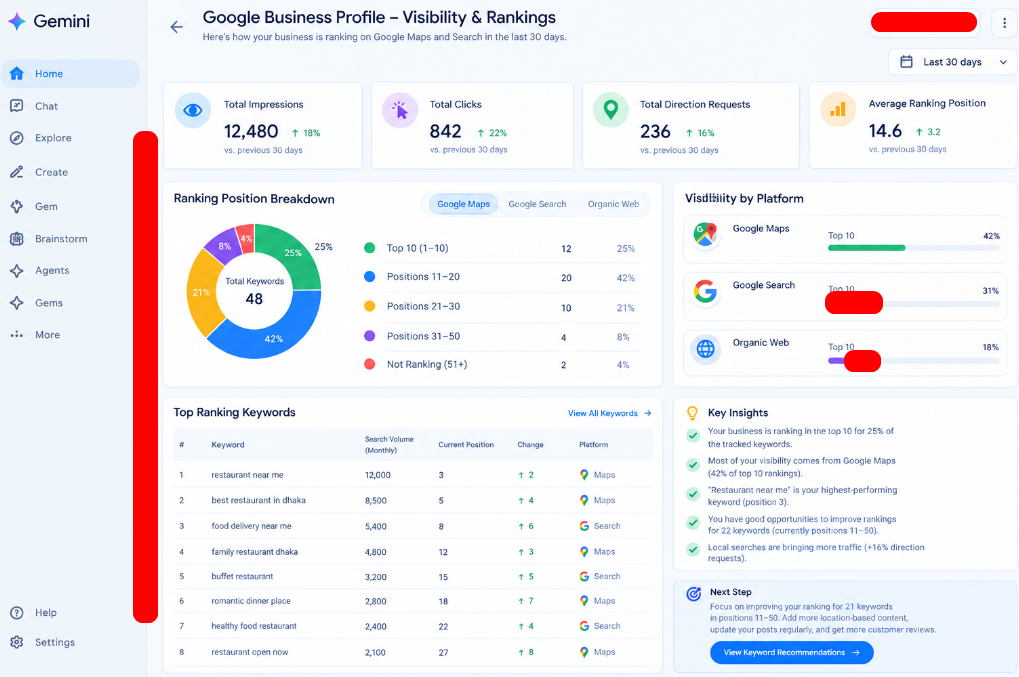
It can also provide available search queries and help you understand your visibility for each query. It can help you understand how your business is performing across your Google Business Profile and Google Maps, along with other available information. It can also identify important searches where your visibility is low and where you may have opportunities to improve. So this is another question you should definitely ask.
Question 3: How many reviews did I receive?
The third question is also important.
You should analyse how many reviews you received during the last 30 days, how those reviews were responded to, and what you should improve in your review section.You can also ask for a last 30 days report.
I used a detailed prompt for this.
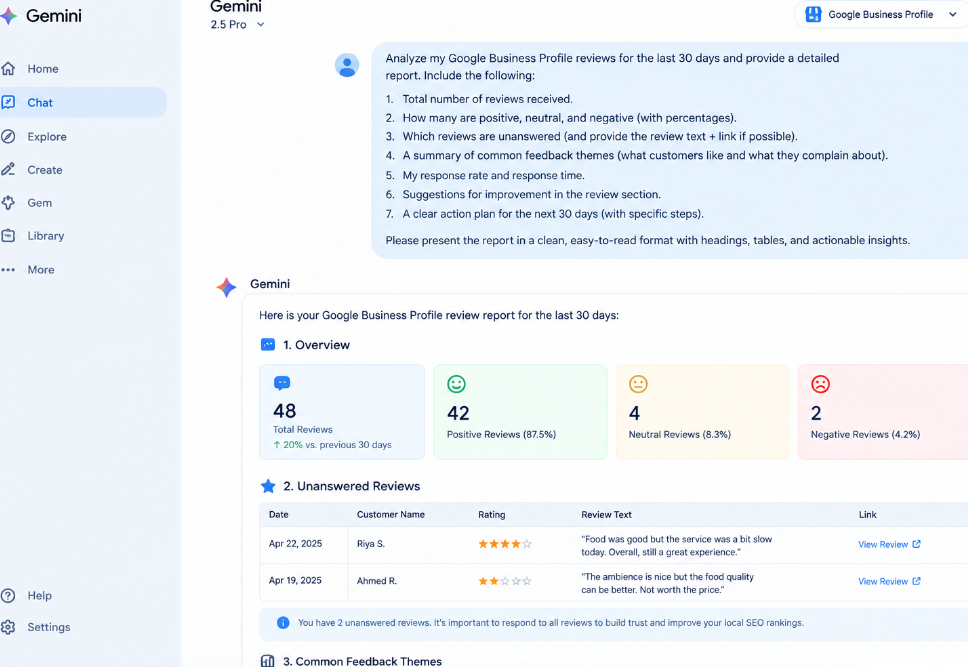
Gemini can provide a detailed breakdown of the available information from the last 30 days and help explain how your Google Business Profile performed and what you may want to change.
It may look very easy to do.
But the only difference is that people who actually implement these recommendations can move ahead, while people who don’t implement them simply stay where they are.
If you want your last 30 days performance report,
you need to make sure your Google Business Profile is connected.
Once connected, Gemini can help you analyse the available data and prepare a detailed report.For example, it can help you understand:
What you should avoid. What you should add . How many impressions you received , How many interactions you received
How many people visited or interacted with your profile
The exact information available may depend on the data accessible through your connected Google Business Profile.
Using this information, you can prepare your Google Business Profile strategy for the next month.
Question 4: Can Gemini post on my Google Business Profile?
This is one of my favourite questions. You can actually get work done using Gemini. For example, I can upload a photo.
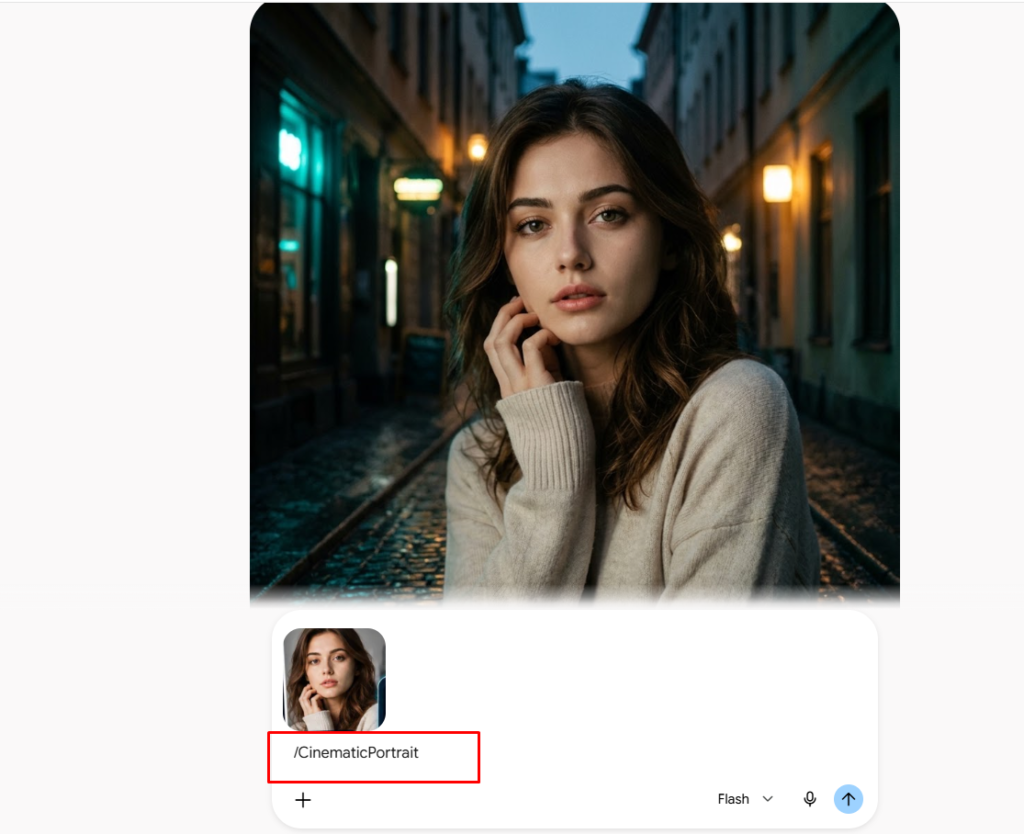
Then I can simply write: There is no specific prompt required for this. I simply tell Gemini that I want to add this to my Google Business Profile. If the feature is available for my account, Gemini can help me create and manage the post as part of the available Business Profile integration.
Question 5: Compare my Google Business Profile with my competitors
This is another very powerful question because you can perform detailed competitor research.
For example, I added the Google Business Profile link of one of my competitors. Then I asked: “Compare my Google Business Profile with them and give me a detailed report.” Gemini can compare available information from both business profiles and explain what we are doing and how we can make our profile better than our competitors. It can analyse the available information and provide details such as:
Primary categories, Secondary categories, Reviews,Responsiveness, Posting activity,What the competitor is doing better, What I can improve, What I am doing better.
| Criteria | Your Business | Competitor |
|---|---|---|
| Rating | ⭐ 4.8 | ⭐ 4.5 |
| Reviews | 120 | 85 |
| Review Response | Good | Low |
| Business Information | Complete | Some information missing |
| Photos | More | Fewer |
| Strengths | Strong rating, complete information | — |
| Weaknesses | — | Incomplete information, fewer photos |
This is one of the most powerful questions you can ask. You can collect the Google Business Profile links of your competitors and provide them to Gemini. Then ask it to compare those profiles with your own Google Business Profile.
Automate the Review Process
Now let’s come to the final question. If your Google Business Profile has been active for a long time, you probably have many reviews. In that situation, managing all the reviews can become difficult.
You can make this process much easier with AI.
For example, I can ask Gemini: “Analyse the available reviews and tell me the ones that are unanswered.” If Gemini has access to the relevant review information, it can help identify reviews that may need a response. Once it provides the available information, I can use the links or open my Google Business Profile dashboard and respond to them.
Then I can tell Gemini: “Draft me good replies for all of them.” Gemini can generate replies for the reviews.
Then I can use those replies on my Google Business Profile. I can go directly to my profile, open the review section, paste the response, and reply to the reviews. This makes responding to reviews much easier.
Conclusion
I hope this article wasn’t too long, but you now understand how many possibilities have opened up with Google Business Profile and Gemini. You should genuinely start using Gemini and Google Business Profile together to manage and optimise your profile more efficiently. If you have any questions or confusion related to this, make sure you let us know in the comment section. And if this article helped you even a little bit, make sure you share it and bookmark our site for more. Because you can find this kind of digital marketing and AI content right here.


