


Google Pomelli Review & Tutorial
Just having a product is not enough, presenting the product to the customer is what’s important. You have a good product but if you couldn’t present it well to the customer, then he won’t buy that product. Your product will only be bought when your product seems good to the customer, or the content you are making is helpful or good. So Google Pomelli will make your product such a product that will be acceptable to the customer.
Creating professional marketing content can be difficult for small businesses. You may need product photos, social media graphics, campaign ideas, promotional copy, and a consistent brand style—all while managing the actual business.
Google Pomelli is designed to make that process easier. It is an AI-powered marketing tool from Google Labs that can analyze a business, understand its brand identity, and use that information to create marketing campaigns and visual content.
In this Google Pomelli review and tutorial, we’ll look at what Pomelli is, how it works, its main features, pricing, how to create your first campaign, and whether it is worth trying in time.
Note: Pomelli is still an experimental Google Labs product, so features, availability, limits, and interface options can change over time.
What Is Google Pomelli?
Google Pomelli is an AI marketing tool created by Google Labs for businesses that want to create tailored, on-brand marketing content more quickly.
Instead of starting every marketing design from scratch, Pomelli can analyze your website and create a Business DNA that represents your brand. This can include your brand colors, fonts, values, images, and other brand characteristics. Pomelli then uses this information when generating marketing content.
Google describes Pomelli as a tool for creating scalable, tailored, on-brand content to help businesses connect with their audiences faster.
For a small business, this can be useful because you don’t necessarily need a professional designer or marketing team for every piece of content.
How Does Google Pomelli Work?
The basic process is quite simple:
Website → Business DNA → Products/Catalog → Campaign → AI Creatives → Edit → Download/Share
First, Pomelli analyzes your business information. It then creates your Business DNA, which becomes the foundation for your marketing content.
You can add products or services to your Catalog and use them to generate campaigns or Photoshoots.
The important idea is that Pomelli isn’t simply generating random AI images. It tries to maintain a consistent visual identity based on the information it has about your business.
Google Pomelli Complete Tutorial: How to Use It
Now let’s go through the process step by step.
First, open any browser. After opening it, do a search. After searching, click on the first website that appears. After clicking, you will be able to see…
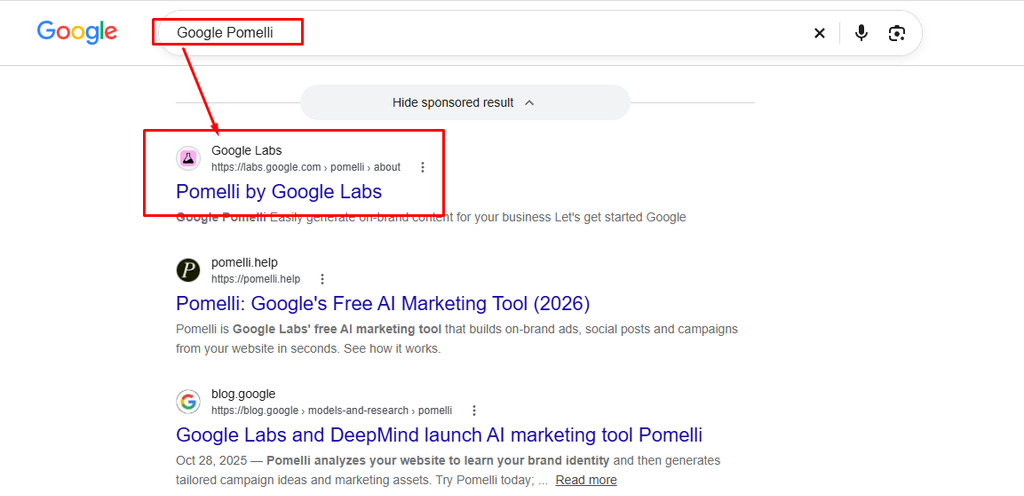
After opening the browser, search by typing Google AI Pomelli. After searching, click on the first website that appears. After clicking…
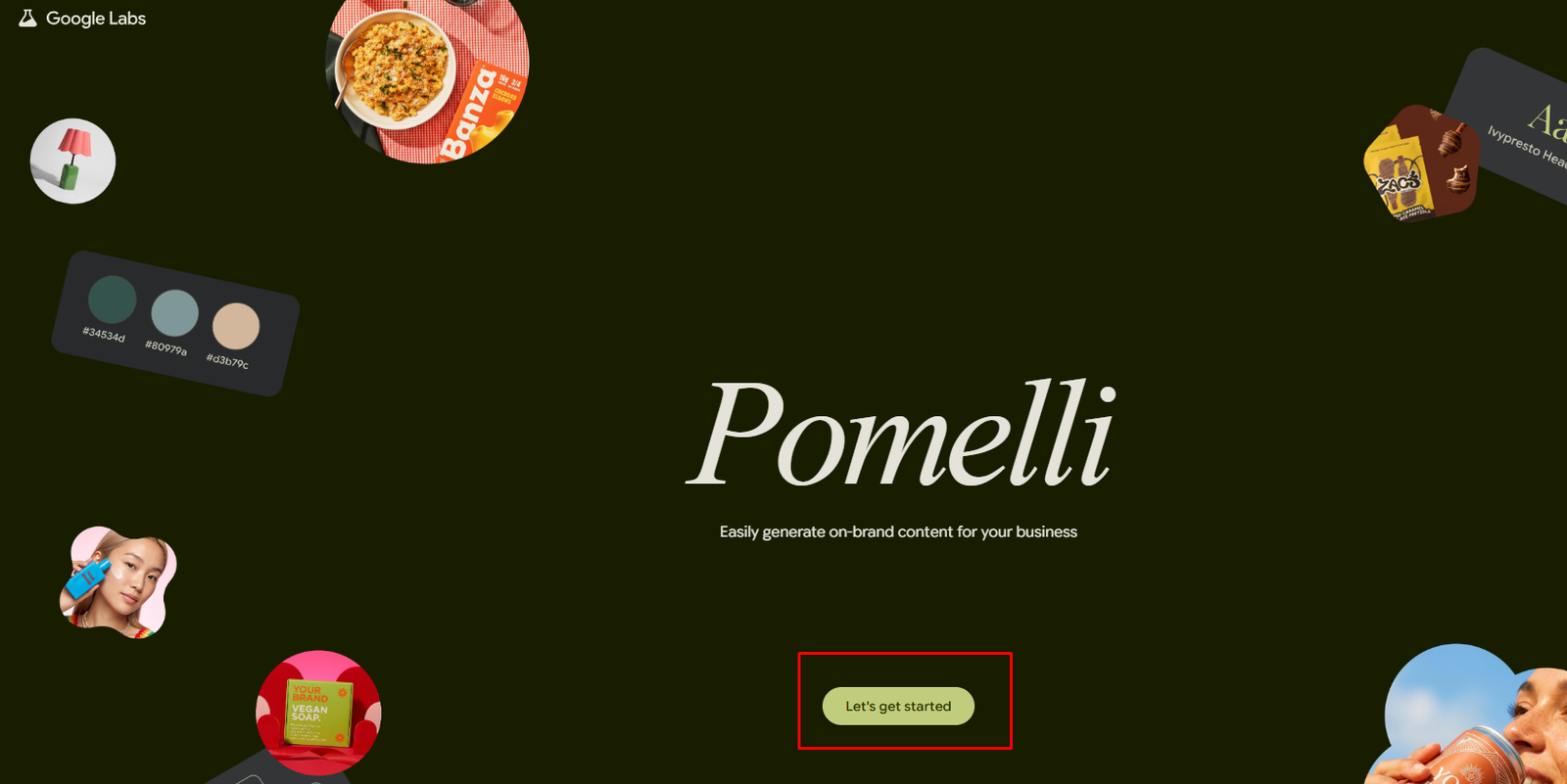
“Click and let’s get started”After clicking Let’s Get Started, you might need to click Agree. After clicking, when you see Enter Your Website, you will stop there.
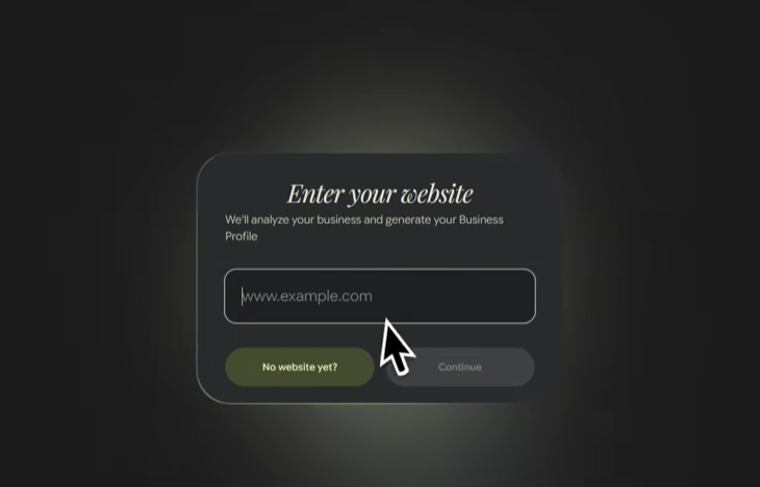
If you have a website, then just put the website here and it will create a profile from your website. Then you won’t have to do anything manually. Doing it manually is a bit of a hassle, so it’s best if you have a website. So I hope you all have a website to run a business. I will show the manual process too, but first I’m showing with the website.
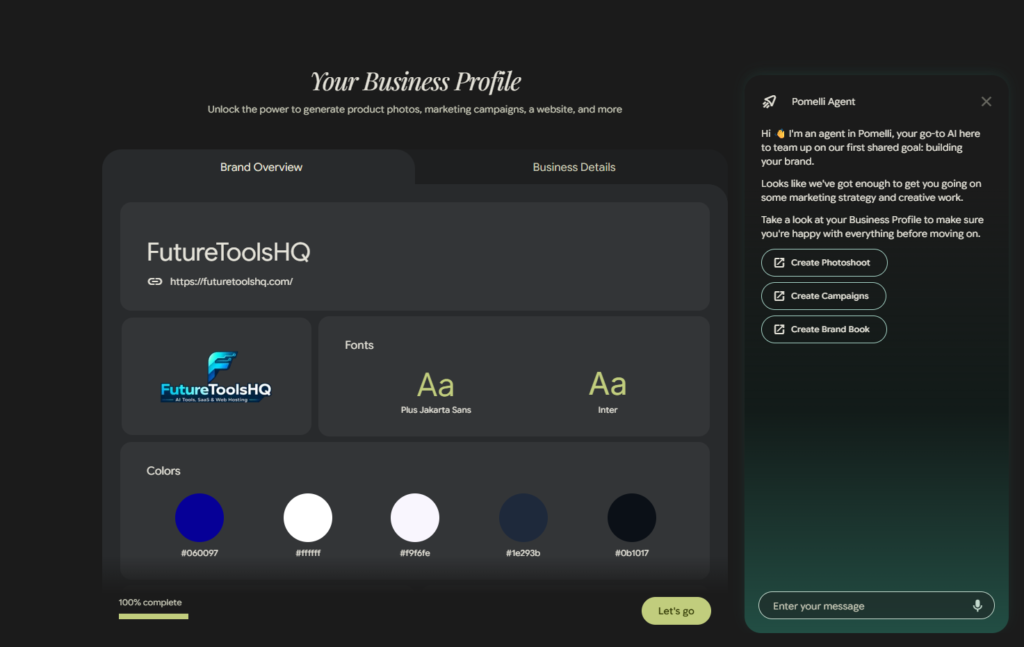
It’s a very easy and simple method. The business website I have, I gave my website link here and now Google has set everything up automatically. I didn’t have to give anything manually. Look at the whole profile, it has decorated the profile beautifully.
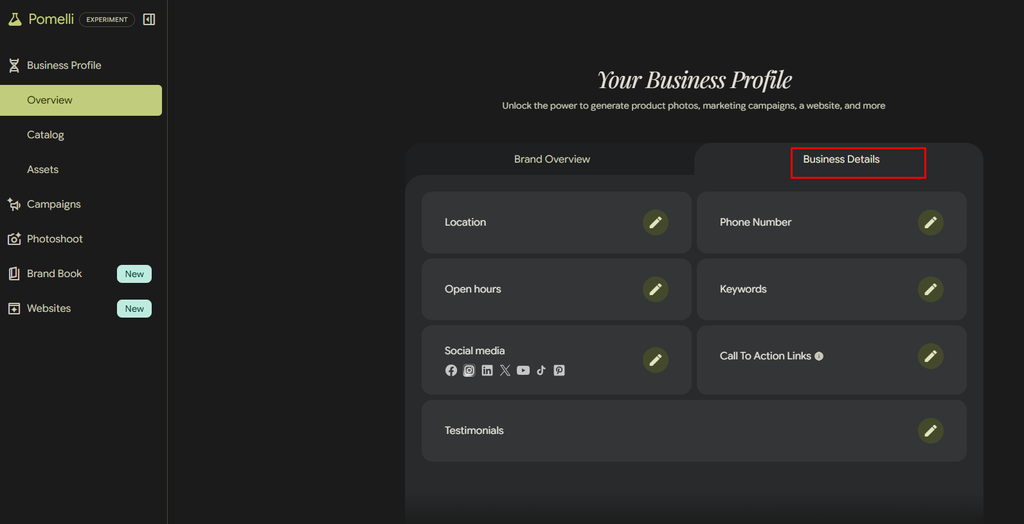
If the business profile is created, then there are some business details like location, phone number, open hours, keyword, and social media. If you add them, you can click on the edit option and the options will appear. You can easily do this. This is the business details – it’s optional, but it’s better if you give the details. It’s okay if you don’t, but you should do it.

We are currently in the catalogue of Google Pomelli. We will work from this catalogue itself. In the catalogue, you can see ‘add from URL’ – meaning if you give your website’s URL, then all the images will come from the URL, and ‘add from search’ – you can search and take images, or you can upload images. The images that we will work on, we will work on them from the catalogue itself.
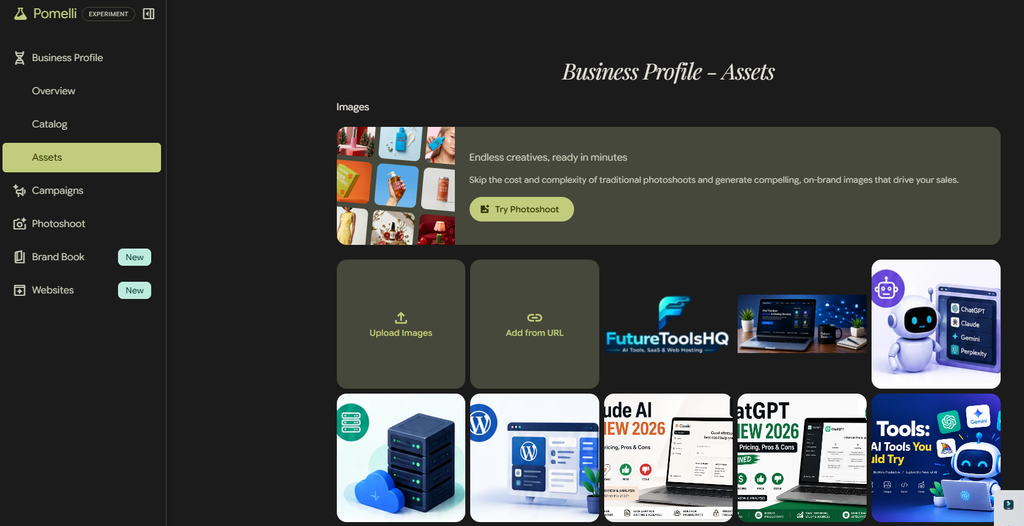
“You can see here that images can also be brought in by uploading, and images can be brought from a URL. And it’s already suggesting some images from my website because I created this profile using my website, that’s why it’s already showing all the images. If you provide your website, the pictures that are uploaded on your website will automatically be shown. And if you want to work here manually with your own or some other picture, then you just have to upload those pictures.”
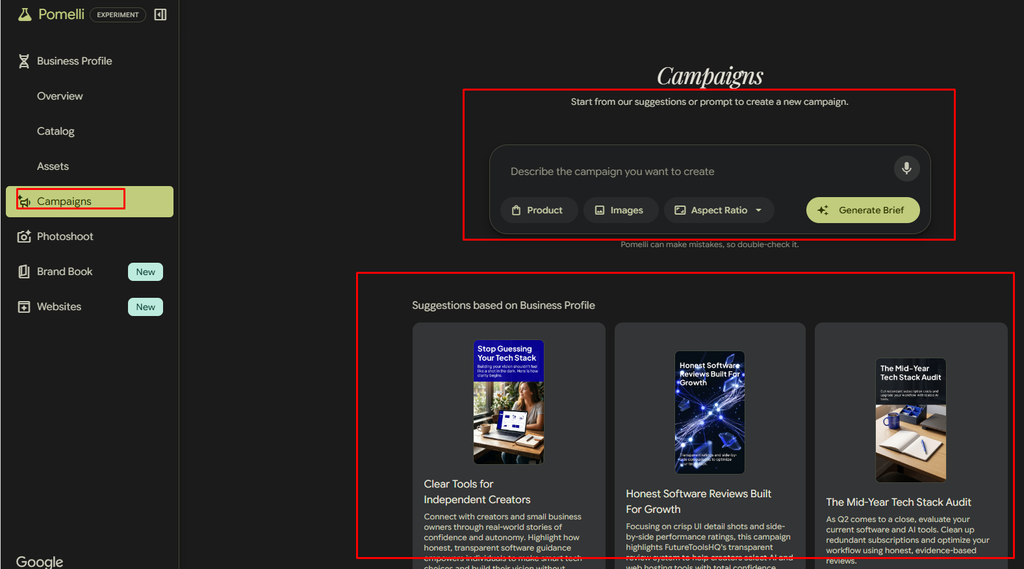
In the current campaign section, you can see it’s already suggesting some campaigns. From here you can create campaigns. I will tell you how to create them, but just keep in mind for now that campaigns can be created from the campaigns section — they have already created and kept some campaigns ready.

In the Google pomelli, there’s now Photos. From here we can create photoshoots. Look below, there is a Brand Book – New Brand Book. We can create a Brand Book, we can also create a website. We can do all of this from here.
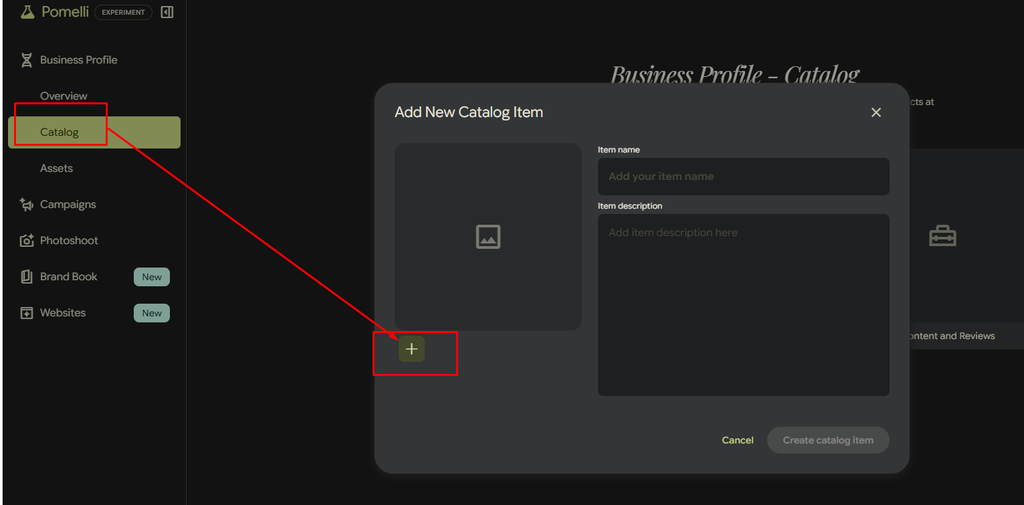
To bring in pictures, we will first click on Catalogue. Then, we will click on Add New Catalogue and select the Plus (+) icon.
When we click on the Plus (+) icon, the files and folders on our computer or desktop will open. From there, we can select the pictures we want to use and add them to the Catalogue.
Once the pictures have been added to the Catalogue, we will use those images to do whatever work we need to complete.
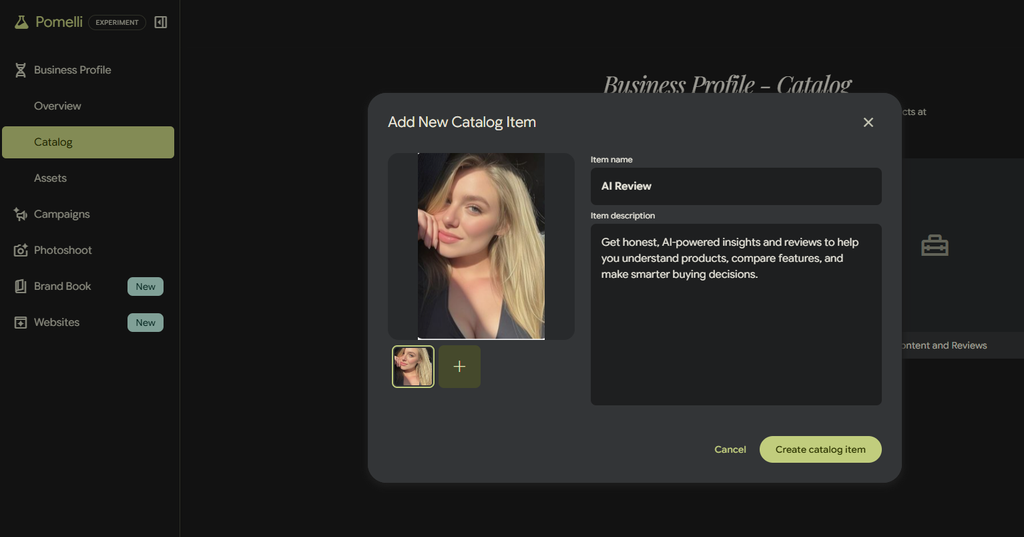
“Open Product Add, enter the product name and the product description, and then click on Create Catalog Item — a catalog will be created.”
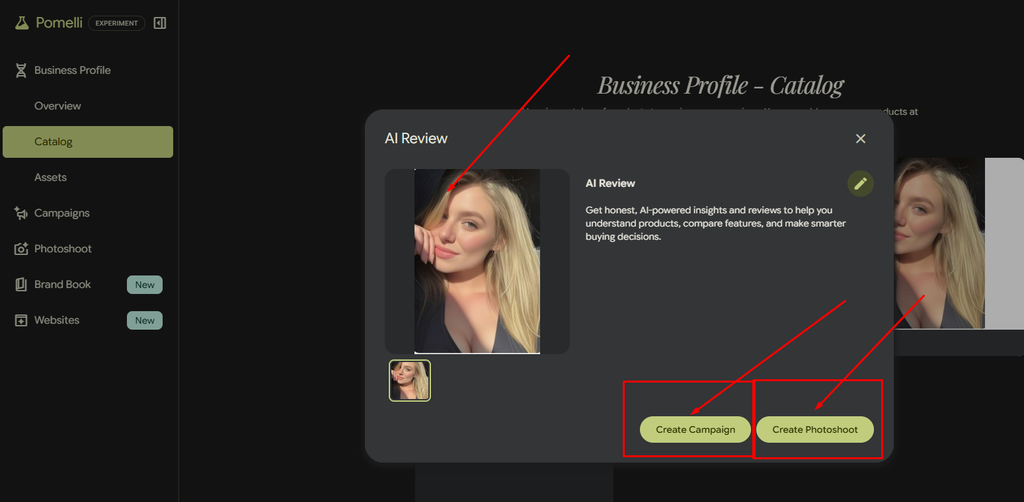
“For this same product, you can also create a campaign, and you can also create a photoshoot. If you feel that it needs to be created for the same product, then you will create it. And if you feel like, no, I have created the catalog and then I will create it later, that depends on you or it entirely depends on you.”
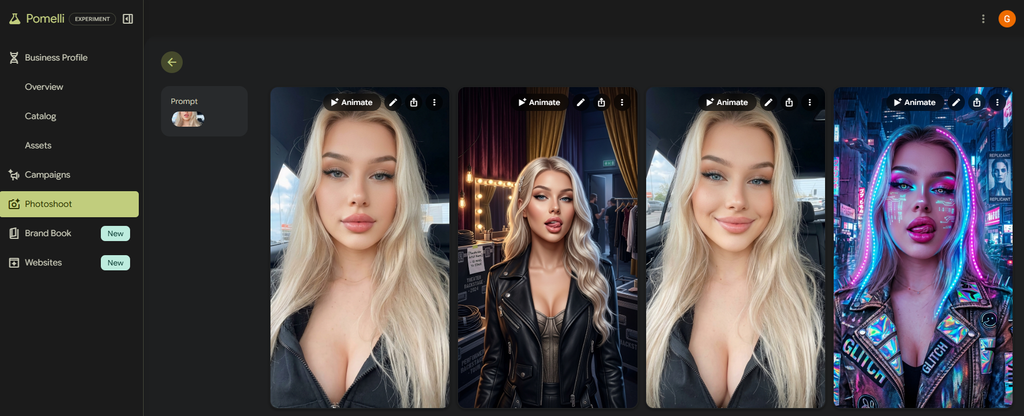
I uploaded an image to the Image-to-Image Catalogue. After uploading the image, I went to the Photo Shoot section and clicked on Photo Shoot.
As you can see, it generated several photo shoot variations for me while keeping the original image and its main features intact.
Since I had given the image name as “AI Tool,” it automatically created the image with the title “Best AI Tool.”
In the case of your own business, you may have different business names, product names, or brand names. If you provide the product name properly, the image will be generated accordingly based on that name and context.
So, I hope you now understand how easily you can take just one normal product image and turn it into a beautiful, professional-looking marketing or product image.

Above, you can see that the photos have already been created in the Photo Shoot section. Now, you can see an option called Animator.
If you click on Animator, it will create a beautiful video for you. As you can see, it has generated a professional-looking product video from the image.
So, if you need a video for your product, you can simply click on Animator and create a professional product video in just a few clicks.
You can easily create both professional product images and product videos right here in a very simple way.
And the best part is that this is free to use. Everything I’m showing you here can be done for free.
My Google Pomelli Review
Google Pomelli is one of the more interesting AI marketing tools for small businesses in 2026.
Its biggest advantage is that it is not simply an AI image generator. The platform tries to understand the business first through Business DNA and then uses that information to create marketing materials.
The combination of Business DNA + Campaigns + Photoshoot + Brand Books + website creation makes Pomelli useful as a broader marketing assistant.
The Photoshoot feature is especially useful for businesses that have good products but don’t have access to professional photography.
However, you should not publish every AI-generated result without checking it. Product details can sometimes be changed by AI, and Google itself recommends reviewing generated images before publishing.
Overall, Pomelli is most useful when you treat it as a marketing assistant, not as a completely automatic marketing department.
Final Verdict: Is Google Pomelli Worth Trying?
Yes, especially if you run a small business and need marketing content without spending a large amount on design.
The fact that Pomelli is currently free makes it even more attractive for businesses that want to experiment with AI marketing.
Its ability to understand your brand, generate campaigns, create product Photoshoots, build Brand Books, and help create websites gives it a broader purpose than a typical AI image generator.
The main thing to remember is that AI-generated content still needs human review.
If you have a website and products to promote, Google Pomelli is definitely worth testing in 2026.
Frequently Asked Questions
What is Google Pomelli?
Google Pomelli is an AI-powered marketing tool from Google Labs that helps businesses create on-brand marketing content, campaigns, product images, and other assets.
Is Google Pomelli free?
Yes. Google currently says Pomelli is available at no charge, with several hundred image and video generations available to users.
Can Pomelli create product photos?
Yes. Its Photoshoot feature can transform basic product photos into professional-style studio and lifestyle imagery.
Can Pomelli create marketing campaigns?
Yes. You can select a product and generate a campaign with multiple marketing creatives that can be edited and downloaded.
Can Pomelli create a website?
Yes. Google added website creation capabilities through its newer Pomelli Agent features.
Should I trust every image generated by Pomelli?
No. Always review the final images because AI can sometimes change product colors, logos, textures, or other details.
