


Norton Antivirus Review
Online security has become more important than ever. From phishing emails and malicious websites to ransomware and identity theft, internet users face many cybersecurity risks. Having reliable antivirus software can help protect personal information, financial data, and everyday online activities.
Norton Antivirus is one of the well-known security solutions designed to protect computers and mobile devices against various digital threats. It offers security features such as malware protection, real-time threat detection, and additional privacy tools depending on the subscription plan.
In this Norton Antivirus review, we will explore its features, benefits, installation process, product activation, and complete setup. Whether you are a new Norton customer or reinstalling your existing subscription, this guide will help you get started.
Quick verdict: Norton is one of the best-known names in consumer security. It offers strong malware protection, a clean interface, and useful extras like a firewall, password manager, and VPN on higher plans. The main downsides are renewal pricing and a heavier feature bundle than some people need. If you want an all-in-one security suite and don’t want to tinker with settings, Norton is a solid pick.
What Is Norton Antivirus?
Norton has been protecting home computers for decades. Today, the company sells several plans, from basic antivirus-only coverage to full Norton 360 suites that add identity and privacy tools. Which features you get depends on the plan you choose, so always check the plan comparison on Norton’s website before buying.
In this guide, you will learn: What Norton Antivirus offers and who it is best for. How to download and install it on Windows or Mac. How to activate it with a product key or your account. How to finish the setup so you are fully protected.
Norton Antivirus Pros and Cons
✓ Pros
- Strong, well-established malware protection
- Simple, beginner-friendly interface
- Works on Windows, Mac, Android, and iOS (feature availability varies by platform)
- Useful extras on Norton 360 plans, including VPN and password manager
- Multi-device plans can cover the whole household
✕ Cons
- Renewal prices are often higher than the first-year promotional price
- Some of the best features require a higher-tier plan
- Full scans can slow older computers
- Bundled extras may feel like more than a casual user needs
Manual Review – Norton Safe Web
In the web note, in all settings, there is web scanning, then below there are three more downloads. Here four are showing green, meaning green, that means this is safe, its full work is done.

Before You Install: Quick Checklist
A few minutes of preparation prevents most installation problems.
- Check system requirements. Make sure your Windows or macOS version is supported, and that you have enough free disk space and a stable internet connection.
- Uninstall other antivirus programs. Running two security suites at once can cause conflicts and slow your computer. Windows Defender will step aside automatically once Norton is active.
- Install pending system updates. An up-to-date operating system helps the installer run smoothly.
- Have your login details ready. You will need a Norton account, and possibly a product key if you bought from a retailer.
- Close other programs. Save your work, because Norton may ask you to restart.
How to Download and Install Norton Antivirus
Step 1: Create or Sign In to Your Norton Account
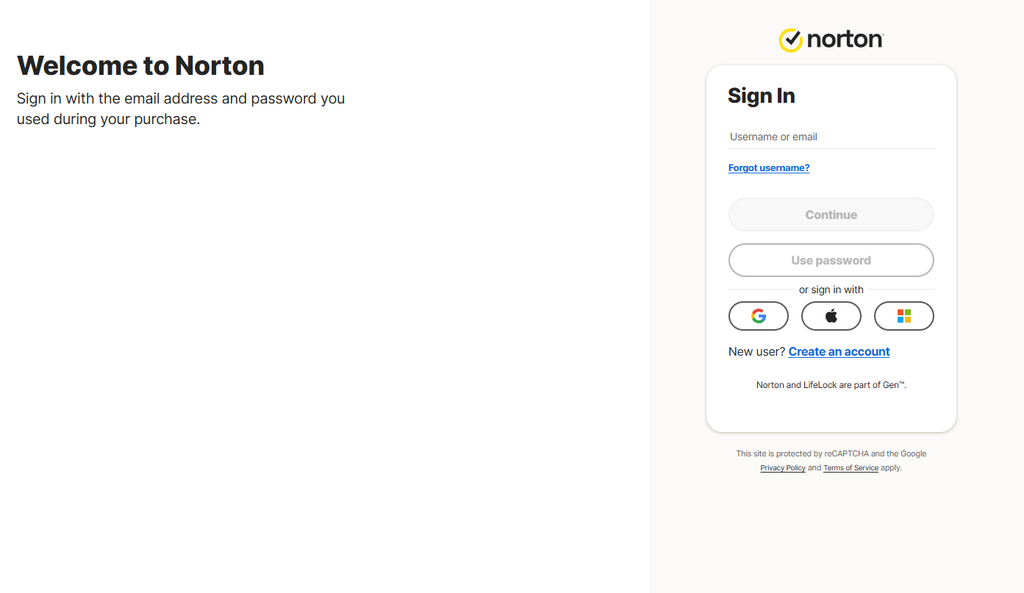
Go to the official Norton website and sign in. If you are new, create an account with your email address and a strong password. If you bought Norton directly from the website, your subscription is already linked to this account.
Step 2: Download the Installer
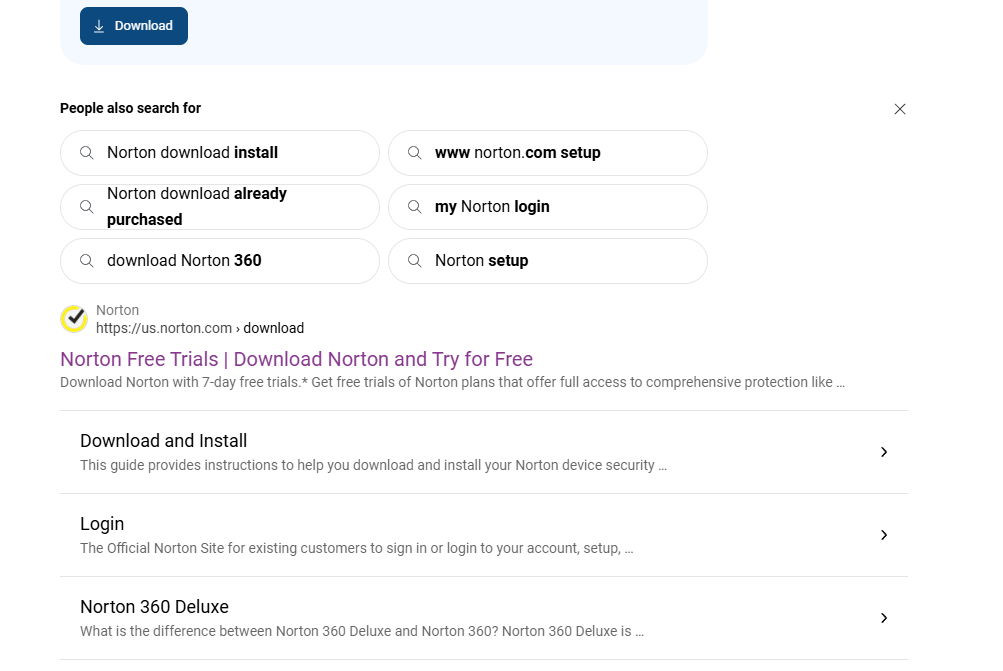
After signing in, open your account dashboard and choose the option to download Norton for your device. Always download from the official Norton site, not from third-party download pages, to avoid fake or modified installers.
How to Complete the Setup
Installing is only half the job. These steps make sure you are actually protected.
1. Run the First Update
Open Norton and let it download the latest virus definitions. Do this before anything else, because new threats appear daily.
2. Run a Full System Scan
Go to the Security or Scans section and run a Full System Scan. It may take a while the first time, so start it when you don’t need your computer.
Norton Plans and Pricing
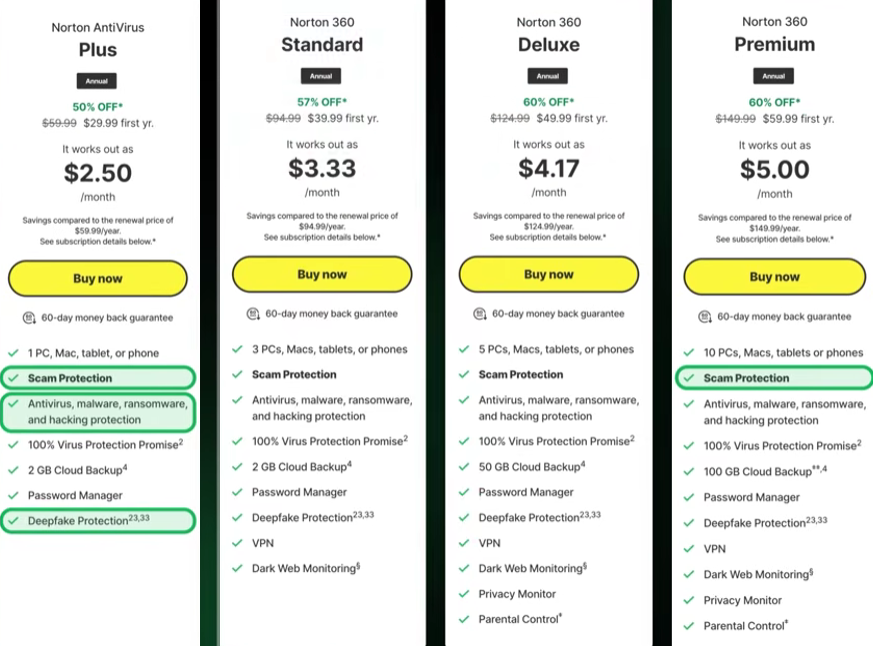
Norton sells four main plans, and the first-year price is much lower than the renewal price. Prices below are the promotional first-year rates shown on Norton’s site on November 6, 2026, and may change.
| Plan | Devices | First-year price | Renewal price | Cloud backup | VPN | Dark web monitoring | Privacy Monitor | Parental Control |
|---|---|---|---|---|---|---|---|---|
| Norton AntiVirus Plus | 1 | $29.99 (50% off) | $59.99/yr | 2 GB | No | No | No | No |
| Norton 360 Standard | 3 | $39.99 (57% off) | $94.99/yr | 2 GB | Yes | Yes | No | No |
| Norton 360 Deluxe | 5 | $49.99 (60% off) | $124.99/yr | 50 GB | Yes | Yes | Yes | Yes |
| Norton 360 Premium | 10 | $59.99 (60% off) | $149.99/yr | 100 GB | Yes | Yes | Yes | Yes |
Every plan includes scam protection, antivirus, malware, ransomware, and hacking protection, the 100% Virus Protection Promise, a password manager, and deepfake protection. Norton also lists a 60-day money-back guarantee on these plans.
Which plan should you pick?
- AntiVirus Plus: best for one device and basic protection.
- 360 Standard: a good fit for a small household that wants a VPN and dark web monitoring.
- 360 Deluxe: best for families, thanks to parental controls and 50 GB of backup.
- 360 Premium: best for large households or anyone who needs the most devices and backup space.
Norton Plans and Pricing
If you want to buy this, definitely check the official pricing link I have given here. Check from the official website and then buy it. What I have said here may have some issues, updates, or problems, so please check from the official website and then buy
Frequently Asked Questions
Is Norton Antivirus good?
Yes. It is a widely used security suite with strong protection and a beginner-friendly design, though pricing and extra features vary by plan.
Do I need a product key to install Norton?
Only if you bought it from a retailer or as a gift card. If you bought directly from Norton and sign in with your account, activation is usually automatic.
Can I use Norton with Windows Defender?
You don’t need both. When Norton is active, Windows Defender generally turns off its real-time protection to avoid conflicts.
How many devices can I protect?
It depends on your plan. Check the device limit for the specific plan before you purchase.
Can I install Norton on a Mac?
Yes, Norton supports macOS, though some features differ from the Windows version.
Why won’t Norton install?
The most common cause is leftover files from a previous antivirus program. Remove the old software completely, restart, and try again. If it still fails, use Norton’s official removal and reinstall tool or contact support.
Final Verdict
Norton Antivirus remains a dependable choice for Americans who want strong protection without a complicated setup. Installation takes only a few minutes, activation is straightforward whether you use an account or a product key, and the setup steps above make sure every protection layer is turned on. Just watch the renewal price and pick the plan that matches the features you will actually use.
Disclosure: This article may contain affiliate links. If you buy through them, we may earn a commission at no extra cost to you.