

FLUX1 Ai Review
If you’ve browsed AI art communities lately, you’ve seen the name FLUX. It comes from Black Forest Labs, a German AI lab, and it is known for photorealistic output, accurate text inside images, and close adherence to your prompt. The FLUX family now covers image generation, image editing, newer video capabilities, developer API access, and open-weight licensing routes.
This guide explains what FLUX is, how to use it for free, and where the free options stop.
What Is FLUX Ai?
FLUX is a family of visual-generation models, not one single app. It covers image generation, image editing, video, audio and action-oriented multimodal workloads. The models have gone through several generations:
FLUX.1 was the image model that made the brand popular. It includes Schnell (fast), Dev (open-weight) and Pro (paid API). FLUX.2 is the next image generation. FLUX.2 supports text-to-image, image editing and multi-reference generation in one model. FLUX 3 is the newest release. It is a multimodal foundation model, a change from the image-only FLUX.1 and FLUX.2 releases.
Pros and Cons of FLUX.1 AI
A closer look at the strengths and limitations of FLUX.1 AI image generation.
Strong Photorealism and Prompt Adherence
FLUX.1 follows complex descriptions closely, producing realistic lighting, detailed textures, and accurate interpretations of prompts.
Good Text Rendering
Signs, posters, and logos are generally more readable than those generated by many older image models.
Free Options Available
FLUX.1 Schnell is openly released, and platforms like Fal.ai and Replicate may offer free credits for new users.
Open-Weight Flexibility
FLUX.1 Dev allows users to run models locally, customize workflows, and fine-tune styles using techniques such as LoRAs.
Choice of Speed and Quality
Schnell is designed for speed, Dev provides a balance between performance and quality, while Pro offers premium image generation through a paid API.
Wide Aspect Ratio Support
FLUX.1 supports multiple aspect ratios and image resolutions, offering flexibility for different creative projects.
Licensing Limitations
FLUX.1 Dev has restrictions on commercial use, while FLUX.1 Pro is a closed paid API. Users should review the license before commercial projects.
Limited Free Access
Free access depends on the hosting platform and its credit system. Users may need to pay when free credits or usage limits are exhausted.
High Hardware Requirements
Running larger FLUX.1 models locally requires considerable GPU memory. Quantized versions can reduce hardware requirements but may affect quality.
Image-Only Generation
FLUX.1 is designed for image generation rather than native video creation. Dedicated video tools are needed for generating videos.
Newer Models Are Available
Newer image-generation model families, including FLUX.2, offer additional capabilities, so FLUX.1 may not always be the latest option.
Imperfect Results
Generated images can still contain distorted hands, small text errors, or inconsistent facial details. Outputs should be checked before publishing.
Flux1 Ai homepage Review
The FLUX1 Ai homepage features a clean, modern, and user-friendly interface designed to make Ai image and video creation simple for everyone. At the top of the homepage, users can choose between Image and Video generation and enter their own text prompts to create content. One of its most interesting highlights is the availability of 40+ AI image and video models in one place. The left sidebar displays various popular Ai models, including Nano Banana, Nano Banana Pro, GPT Image 2.6, Seedream, Veo 3, Wan 3.0, and Seedance 2.5.
The Featured section also showcases sample Ai-generated images and model descriptions, helping users understand the available creative options. Another useful feature is the visible credit information, which allows users to see the required credits for a selected model before generating content. Overall, the homepage looks well-organized, visually attractive, and easy to navigate, making FLUX1 Ai an interesting platform for beginners and experienced creators who want to explore different Ai image and video generation tools from a single place.

Flux1 Ai free tools Review
FLUX1 Ai offers several free online tools that make image editing and Ai content creation easier for users. From the Free Tools menu, users can access features such as Prompt Generator, Image to Prompt, Image to Caption, Remove Background, and Photo Restore. The Prompt Generator helps optimize text prompts for better Ai-generated images, while Image to Prompt converts uploaded images into descriptive prompts. Image to Caption automatically creates captions for images, making it useful for content creators and social media users.
The Remove Background tool allows users to remove unwanted backgrounds from images, and Photo Restore helps restore old or damaged photographs. These tools are accessible directly through the browser, so users do not need to install additional software. Overall, FLUX1 AI’s Free Tools section provides convenient features for beginners, designers, bloggers, and digital creators who want to edit and improve their images online.

Flux1 Ai image Review
FLUX1 Ai is an impressive and user-friendly Ai image generation platform that brings powerful creative tools and advanced Ai models together in one place. It offers useful free tools such as Prompt Generator, Image to Prompt, Image to Caption, Background Remover, and Photo Restore. Users can also explore Ai image and video generation features with popular models like Nano Banana Pro, Nano Banana 2, FLUX.2, FLUX Kontext, GPT Image 2.6, and GPT Image 2.
The platform also provides access to video generation models such as Veo 3, Veo 3.1 Lite, Wan 3.0, MiniMax H3, and Seedance 2.5. Its clean and modern interface makes navigation simple, while the variety of Ai models gives users more flexibility to create images, generate videos, and experiment with different creative styles. Overall, FLUX1 Ai is a useful all-in-one platform for beginners, designers, bloggers, and content creators who want to explore Ai-powered creativity in one place.
Flux1 Ai models Review
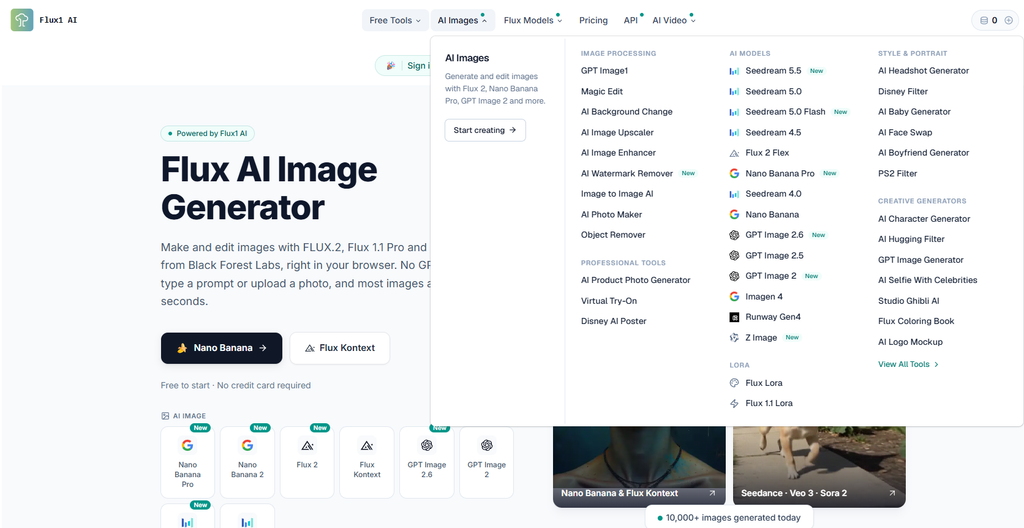
Flux1 Ai offers an impressive collection of powerful FLUX models for image generation, editing, and creative experimentation. It includes advanced models such as Flux 2 Klein, Flux 2 Pro, Flux 2 Flex, Flux 2 Dev, Flux 1.1, and Flux 1.1 Ultra, giving users different options for their creative needs. Its specialized tools are equally useful, including Flux Kontext for image editing, Kontext Max for enhanced workflows, Flux Canny for edge-based generation, Flux Fill for image filling, Flux Depth for depth control, Flux Redux for image variations, and Flux Outpainting for expanding images.
Users can also explore Flux Playground, Flux Inpainting, Flux Image Edit, and Flux Image to Image. With so many models and specialized tools available on one platform, Flux1 Ai makes it easier for beginners, designers, and professional creators to experiment with ideas and produce creative visual content.
Flux1 Ai Api Review
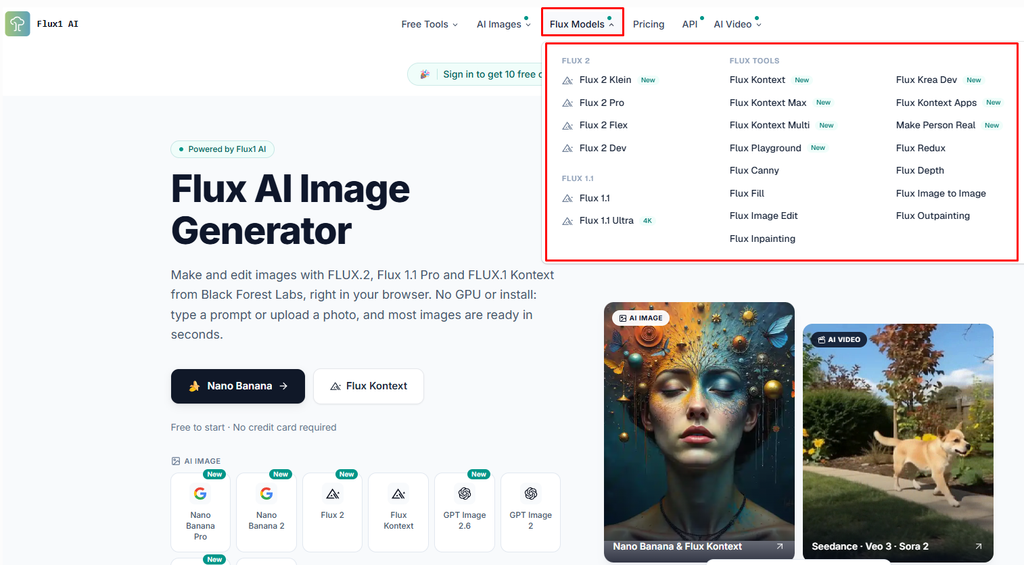
Flux1 Ai is an impressive platform for Ai-powered image and video generation. It provides access to multiple advanced Ai models through a single API key, making the integration process simple and convenient. The platform offers a user-friendly experience, flexible model options, and a unified API system that can save developers valuable time and effort. Its credit-based pricing system is also a great advantage. Overall, Flux1 Ai is a promising solution for developers, designers, and content creators looking for reliable and efficient Ai generation tools.

Flux1 Ai video Review
Flux1 Ai offers an impressive collection of Ai video generation tools and advanced models, including Sora 2, Veo 3.1, Kling Ai, Wan, and Seedance. It provides a wide range of creative features, from text-to-video and image-to-video generation to video enhancement, editing, and animation. The platform makes it easier for creators and developers to explore different Ai video technologies in one place. Its diverse model selection and convenient tools make it a valuable solution for producing high-quality Ai videos. Overall, Flux1 Ai is a promising platform for anyone interested in modern Ai-powered video creation.

Flux1 Ai Plans & Pricing Review
Flux1 Ai keeps its pricing simple with four subscription tiers: Basic, Pro, Max, and Pro Max. Users can choose annual billing to save around 30%, pay monthly, or purchase one-time credits when they need an extra top-up. With annual billing, the Basic plan costs $11.90 per month and includes 300 credits, which is enough for approximately 50 images or 3 videos. The Pro plan costs $18.90 per month and provides 800 credits, allowing users to generate around 133 images or 10 videos. The Max plan, which is the most popular option, costs $25.90 per month and offers 2,000 credits, enough for approximately 333 images or 25 videos.
For professional creators and studios, the Pro Max plan costs $59.90 per month and includes 6,000 credits, supporting around 1,000 images or 75 videos. One of the best things about Flux1 Ai pricing is that all subscription plans include the same features, including access to 40+ image and video models, commercial licenses, private generation, watermark-free Fast Mode, and tools to manage and delete creations.
The main difference between the plans is the number of credits available. Beginners can start with Basic, regular content creators may prefer Max for its balance of price and credits, while professional studios can benefit from Pro Max. However, users should remember that video generation generally consumes more credits than image generation, so frequent video creators may need a higher-tier subscription. Overall, Flux1 Ai offers flexible pricing options for different types of users, from beginners to professional creators.

Frequently Asked Questions (FAQs)
1. What is Flux1 AI?
Flux1 AI is an AI-powered creative platform that allows users to generate images and videos using advanced artificial intelligence models.
2. Does Flux1 AI support multiple AI models?
Yes, Flux1 AI offers access to a wide selection of AI image and video generation models, making it easier to experiment with different creative styles.
3. Can beginners use Flux1 AI?
Yes, beginners can use text prompts to generate AI images and videos without needing professional graphic design skills.
4. Can Flux1 AI generate realistic images?
Yes, depending on the selected model and prompt, it can generate realistic portraits, landscapes, product images, and cinematic scenes.
5. Does Flux1 AI support AI video generation?
Yes, the platform provides AI video generation options through supported models.
6. Is Flux1 AI free to use?
Availability of free generations, credits, and paid plans may vary. Check the official website for the latest pricing details.
Final Thoughts
FLUX is one of the strongest options for AI visuals right now, and you can start without paying. Run an open model locally if you have the hardware, or use free credits on a hosted platform if you don’t. For video, expect free access to be limited to experiments. Start with images, learn how prompts behave, then move into short video clips.